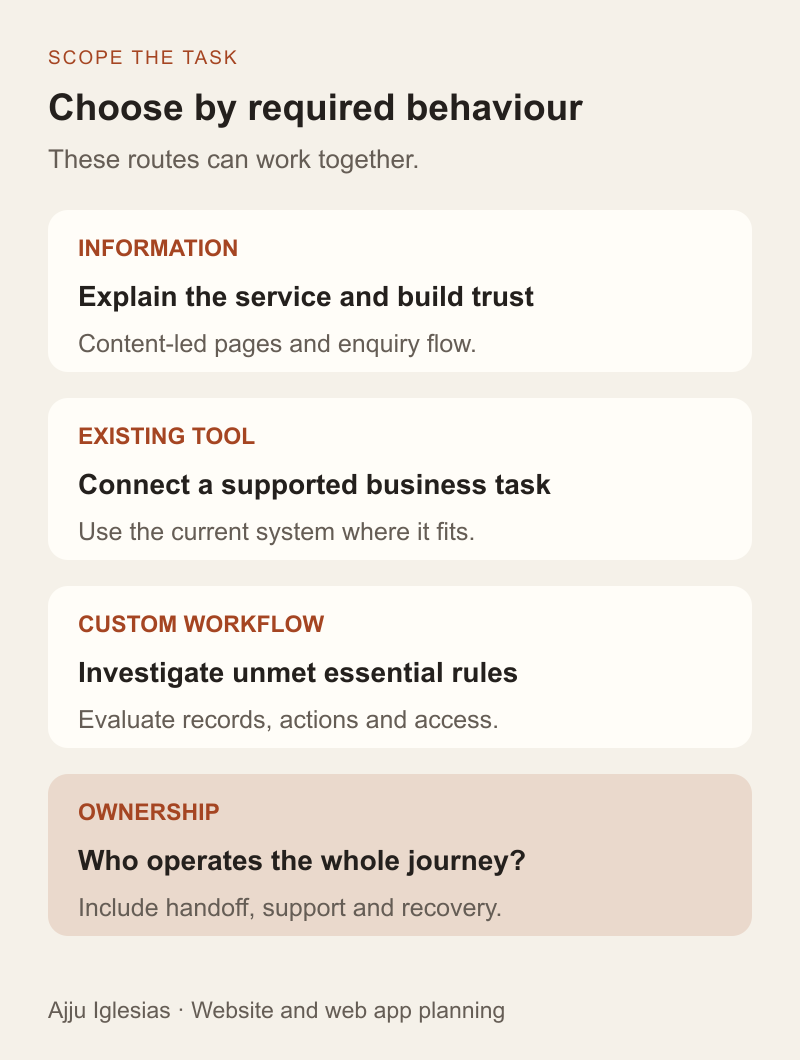
The website vs web app question becomes easier when you describe what people need to do. A business may need pages that explain its services and generate enquiries. It may also need a private workflow where clients review documents, staff update records or customers manage bookings.
Those needs can coexist. The useful decision is which behaviour must be built, which existing software can provide it and who will operate the result. Choosing a fashionable framework before answering those questions does little to clarify scope.
This guide uses three hypothetical workflows to separate a content-led website, an integrated service and a possible custom application. It includes three diagrams and a website or web app planning worksheet. These are planning examples, not descriptions of measured client results or a deployed prototype.
Use the labels as a starting point
There is no sharp boundary that makes every website and web application mutually exclusive. A website can contain interactive features, and a web app can publish public information. For a project brief, describe the work rather than trying to settle terminology first.
A content-led business website primarily helps a visitor understand an offer, review evidence and choose a next step. It may include search, forms and a CMS. Calling it a website does not mean it contains no software or needs no maintenance.
An application workflow enables a person to perform a task with rules and a meaningful result. For example, a reviewer approves a specific document version, a staff member assigns an enquiry or a customer changes an appointment. The work may involve saved records, access controls and several possible states.
MDN's introduction to server-side programming explains capabilities such as working with stored information and returning responses based on requests. That technical distinction can help explain implementation, but it is not a universal test for what a business should call its project.
Begin with the user's job
Write a simple task statement with an actor, action and outcome. “A potential customer reads about our service and sends an enquiry” is one workflow. “A client sees their current project, comments on a deliverable and approves a version” is another.
For each statement, ask what the person needs to know, what information they provide and what should be true afterwards. Include the staff work that follows. A successful message sent to an unmonitored inbox does not complete a useful enquiry process.
Then identify where that work currently happens. An existing CRM, booking tool or document system may already perform the difficult part. The website might need to connect people to it rather than duplicate it.
Keep the first brief short enough to discuss. The website brief template helps organise content-led requirements; the MVP prioritisation guide helps when the workflow becomes an application release.
Scenario one: explain and generate enquiries
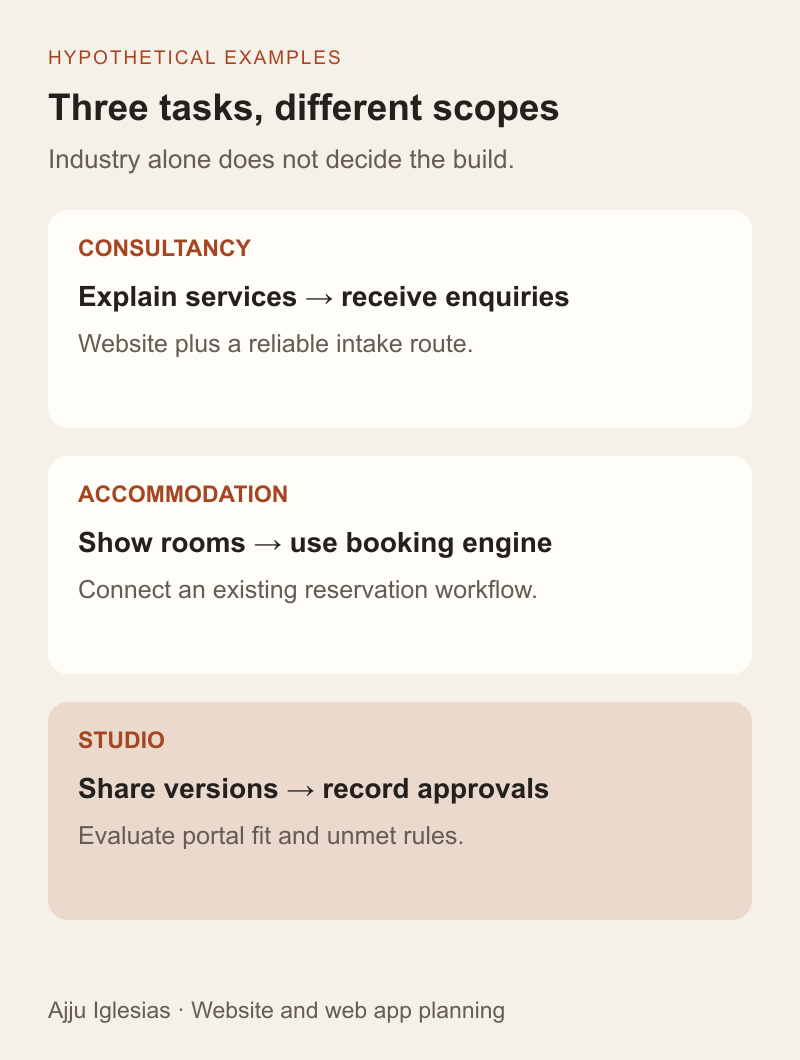
Imagine a local consultancy that needs visitors to understand its services, review suitable work and ask about a project. Staff assess enquiries through an existing internal process. Visitors do not need a private project workspace.
The likely starting scope is a clear business website with service pages, relevant evidence and a reliable enquiry path. A CMS may let the team update content, and an integration may deliver requests to its existing tracker.
Define acceptance around the complete task: the visitor can find the relevant service, submit the required information and understand the confirmation. The responsible staff member can recover the request and knows what to do next.
An attractive dashboard or customer login would add scope without necessarily improving that task. If the main problem is unclear service content or missed emails, investigate those directly. The website lead-generation diagnostic and contact-form delivery guide address those different failure points.
Scenario two: connect a booking service
Now imagine a small accommodation business that wants guests to check availability and reserve a stay. This introduces operational rules, but it does not automatically require a custom booking application.
First review the system already responsible for availability and reservations. The website can explain rooms and policies while handing booking activity to an appropriate existing engine. The integration may be a link, an embedded interface or a more involved connection, depending on the supported product and requirements.
Specify where availability comes from, what confirms a reservation and where staff manage changes. Keep one clear source of truth for the booking record. A request awaiting staff review should not be presented as a confirmed reservation.
Test the whole handoff, including returning to the site, mobile use and an unavailable service. The hotel booking integration guide covers that scope in more detail. The important decision here is whether connecting an existing workflow meets the need before proposing to rebuild it.
Scenario three: manage private approvals
Consider a studio that wants clients to see only their projects, review document versions and record approvals that control the next delivery stage. Public service pages still matter, but they do not provide this private workflow by themselves.
The brief now includes project membership, version records, permitted actions and state changes. Uploading a replacement should have defined consequences for an earlier approval. A comment, a review request and a final decision need distinct meanings.
Evaluate an existing portal product against the workflow first. Custom development becomes a candidate when the required behaviour, integrations or access boundaries cannot be supported suitably by the available options. A missing cosmetic preference is a different issue from an essential business rule.
Use the client portal scope guide and permissions and approvals guide to develop the requirement. The decision is supported by demonstrated workflow fit, not the assumption that a private area must be custom built.
Identify records, rules and exceptions
Once people change business information, define the records involved. What identifies an enquiry, appointment or document? Which system stores the authoritative version, and how does another part of the workflow refer to it?
Write the rules that control a change. A booking request may depend on availability. An approval may require a submitted version and an authorised reviewer. An assignment may need to account for another staff member changing the same record at nearly the same time.
Include uncomfortable cases: missing input, duplicate submissions, expired access, cancelled work and unavailable connected services. A screen that works with perfect sample information may hide most of the implementation effort.
This exercise also reveals the limits of a proposed integration. If an existing tool cannot expose the required information or action through a supported route, record that constraint. Do not assume a custom front end can make an unavailable capability appear.
Treat access as a requirement
A login answers who a user is; the application still needs to decide what that person may see or do. Two clients with the same role can require completely separate project access.
OWASP's Authorization Cheat Sheet distinguishes authentication from authorisation and recommends checking permissions on every request. Use those principles when defining server-side controls for private records, actions and file delivery. Hiding a button is not a complete access policy.
For the business brief, list the relevant people, resources and actions. Ask how access changes when someone leaves a project and how the implementation will demonstrate that the boundary holds.
Public websites also need sensible administrative access and protection. The distinction is the specific responsibilities introduced by the workflow, not an assumption that one category is secure and the other is not.
Compare operating work as well as the build
List what the team must operate after launch. A content-led website needs content ownership, renewals, important journey checks and a recovery plan. An application may add user administration, data-quality issues, business-rule changes and support for failed or disputed actions.
For integrations, identify who responds when the connected service changes or stops working. The website developer, software provider and business team may each own different parts. Document that division before treating the journey as complete.
Compare implementation options using the same requirements and planning period. Include configuration, migration, training, recurring services and maintenance where relevant. Avoid universal price ratios based only on the words website and app.
The custom software vs SaaS guide provides a broader ownership comparison. Use verified proposals and provider terms for the actual decision, with uncertain assumptions clearly marked.
Test a small workflow before expanding
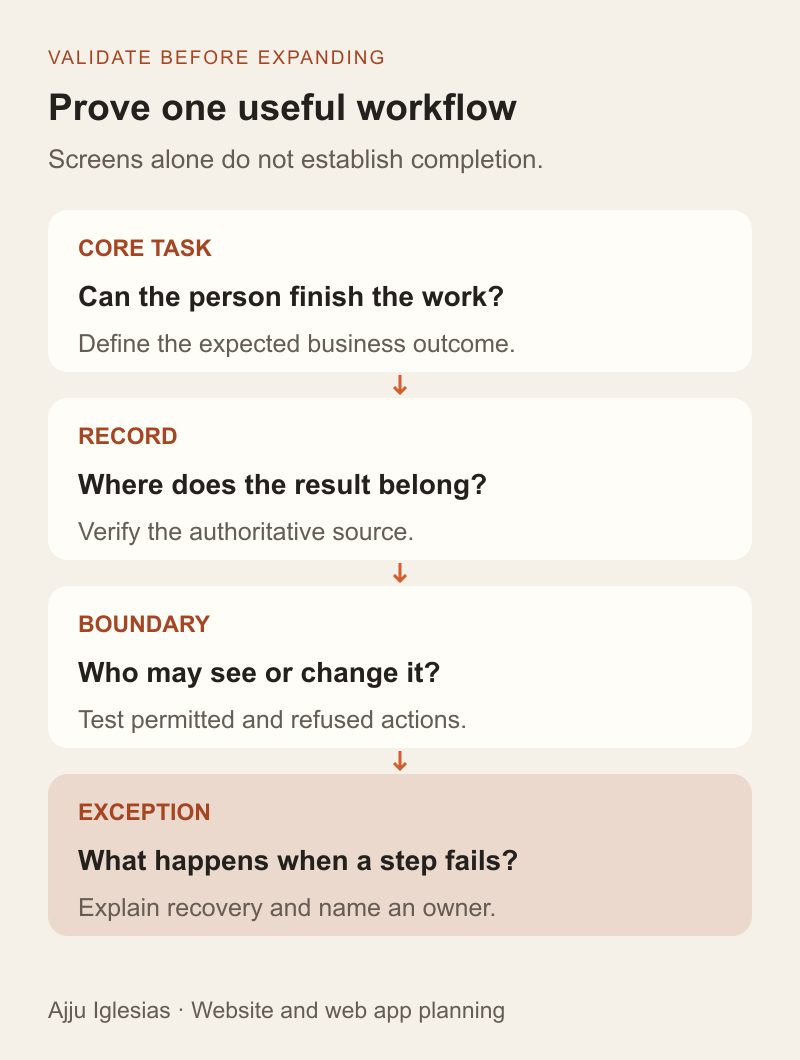
Choose one representative task and define how you will know it works. For a website enquiry, confirm that a suitable request reaches a responsible person. For booking integration, verify the agreed confirmation and staff record. For approvals, check that a decision belongs to the correct project and document version.
Pair the happy path with an exception. A notification may fail, a booking service may be unavailable or a reviewer may try to act on a superseded version. Specify what the user sees and how the team recovers.
Use sample information in a safe environment and keep evidence of the result. A visual mockup can validate terminology and layout, while a technical demonstration may be needed to prove a difficult integration. Label which kind of evidence you have.
Do not expand the first release merely because a framework makes more screens easy to generate. Validate the business task, ownership and operating model before adding another module.
Make the decision in a short brief
Complete the website vs web app worksheet with the primary users, tasks, records, existing systems and unresolved rules. Select a provisional route: content-led site, site plus existing service, existing application configuration or a custom workflow to investigate.
Allow a mixed solution when it fits. Public pages can support discovery while an operational tool handles private work. Make navigation, account boundaries and support responsibilities understandable across both parts.
If you want help deciding the scope, send the business task and explain how it works today. One example of the information people use, the decision they make and the result they need is a better starting point than a request for a website or app with no workflow behind it.