
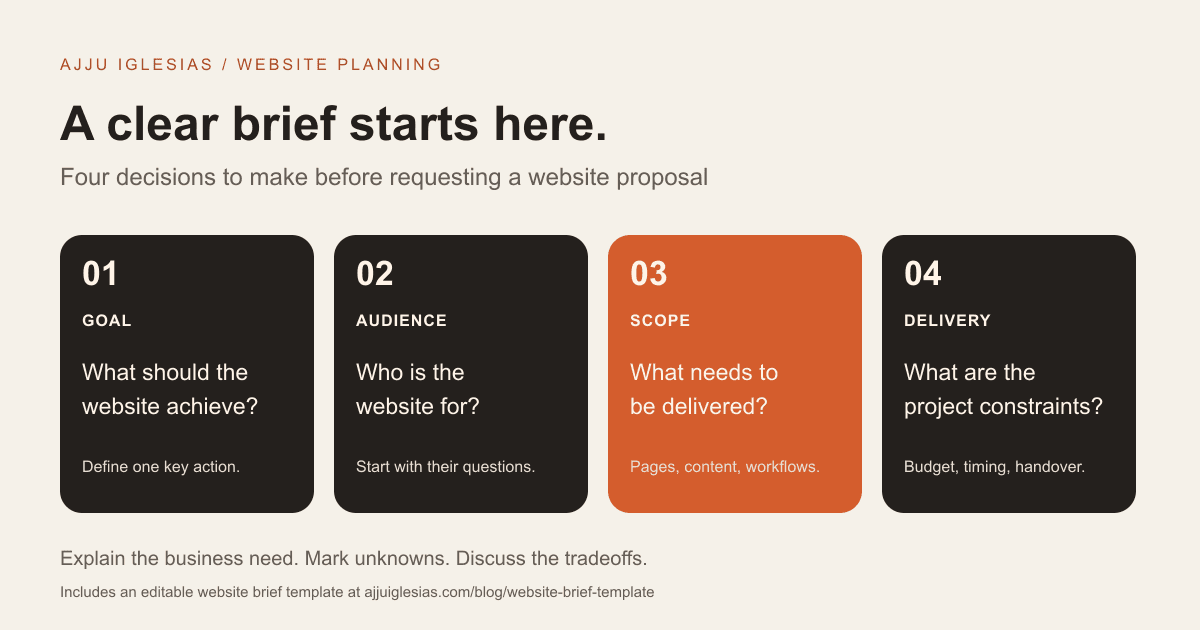
A useful website brief tells a developer what your business needs the website to do, who will use it, what content and features are required, and what limits the project must work within. You do not need to choose the technology or write a technical specification before asking for help.
The goal is to make your requirements clear enough that a designer or developer can ask sensible questions and prepare a scoped proposal. A short, honest brief is more useful than twenty pages of vague aspirations.
This guide includes a website brief template for small businesses, consultants, hotels and service teams. Download the editable brief, fill in what you know, and mark the rest as undecided.
What a website brief should do
Your brief is the starting point for a conversation. It should explain the business problem and the expected outcome before describing how the pages should look.
“Build a modern, professional website” leaves too much open. A more useful version is: “We provide business coaching. Visitors should understand our programmes, inspect relevant experience and request an introductory call. Our team needs to update programme dates without a developer.”
That statement identifies the offer, the visitor's decision, the contact action and an editing requirement. It does not lock you into a platform or a visual style before the requirements have been discussed.
If you are replacing an existing site, describe the current problem. For example, visitors may struggle to find your services, your team may be unable to update content, or contact messages may not arrive reliably. If the main issue is visits without enquiries, use the website enquiry diagnostic guide before deciding that a full rebuild is necessary.
1. Define the business goal
Choose the most important outcome for the first release. A hotel might need a clearer path to room enquiries. A consultancy might need qualified calls. A product business might need customers to complete checkout.
Write the action you want a visitor to take and the information they need beforehand. Then explain how you will recognise success. That could mean successfully received enquiries, suitable consultation bookings or completed orders, depending on the project.
Avoid giving the website responsibility for outcomes it cannot control alone. Lead quality also depends on your offer and traffic sources. Bookings depend on availability and the reservation process. A brief should distinguish what the website must deliver from the wider business goals it supports.
Copyable prompt: “Our primary website goal is ____. The visitor action that supports it is ____. We will check whether it is working by ____.”
2. Describe your customers
Tell the developer who your customers are, what they need and what makes the decision difficult. Useful details include the services they are comparing, the questions they ask before buying and whether they usually visit on a phone.
For a local service business, explain your actual service area and languages. For a hotel, describe the guest's practical questions: room suitability, dates, location, amenities and the next booking step. For a consultancy, explain who approves the purchase and what evidence they need.
You do not need invented customer personas with names and lifestyle details. Use real questions from calls, messages and existing enquiries. If you have no evidence yet, label your audience assumptions so they can be tested.
Copyable prompt: “Our main customers are ____. Before contacting us, they usually need to know ____. They hesitate because ____.”
3. Map the essential pages
List the pages you think the website needs and give each one a purpose. Start with the visitor's task, then decide whether it needs its own page.
A service business might need a homepage, individual service pages, selected projects, an about page and a contact page. A hotel might need room-type pages, practical location information, a gallery and a booking path. An online store has additional product, basket and checkout requirements.
Do not treat a page count as the whole scope. A five-page website with custom booking logic can require more work than a larger site containing straightforward editorial pages. Describe both the number of pages and how different their layouts and features are.
Copyable prompt: “The pages we need are ____. Each page should help the visitor ____. Pages we can add after launch are ____.”
4. Explain the required workflows
A feature name is rarely enough. “Contact form,” “booking system” and “customer portal” can each mean several different things.
For a contact form, explain what the customer submits, where the enquiry goes, what confirmation they receive and who handles follow-up. For bookings, identify the software already used for availability, reservations and payments. For a portal, describe what users can see or change and who approves access.
Write a workflow as a sequence: customer action, system response, team action and an exception. For example: “A visitor sends an enquiry. The website confirms receipt. Our sales inbox receives the details. If delivery fails, the visitor sees a retry option.”
If a third-party integration is needed, provide its name and say whether you already have an account. Do not share passwords in the brief. The developer can later confirm access, compatibility and the integration scope.
5. Assign content responsibilities
Content is project work. List what already exists, what needs updating and who will produce the missing material.
Useful assets include service descriptions, project details, authorised testimonials, business contact information, brand files and suitable photographs. If you need copywriting, photography or translation, put that in the scope rather than assuming it is included in development.
Give each missing item an owner and a realistic delivery point. “The founder approves service copy after the draft” is more actionable than “content will follow.” Say whether your team can supply original project images or whether new assets need to be commissioned.
For existing content, explain what should be retained and what needs review. An accurate but poorly organised page may need restructuring rather than a complete rewrite.
6. Show useful design references
Choose a few websites and explain the specific parts you like: navigation, typography, room galleries, product information or a clear enquiry flow. Also note what you dislike or what would not suit your customers.
“Make it like this website” can hide very different expectations. You may like its visual style while the developer notices its complex features. Separate those two things in your notes.
References are a starting point for an original design. Do not ask the developer to copy another business's branding, content or protected assets. Your website needs to reflect your offer and the materials you can actually supply.
Copyable prompt: “We like reference A because ____. We like reference B because ____. We want to avoid ____.”
7. Define editing and ownership needs
Who will update the site after launch, and what exactly will they change? Updating opening hours is different from creating product pages, publishing articles or managing room packages.
Describe routine editing tasks and who performs them. Ask for a demonstration of those tasks before accepting a content-management recommendation. A system that looks flexible in a feature list may still be unsuitable for your team's workflow.
Also record who manages the domain, hosting, website accounts and existing assets. Request a clear handover plan covering access, documentation and training. Discuss source-code and account arrangements in the project agreement with the supplier; the brief simply makes those expectations visible.
For projects where editing is central, see the CMS development service. Choose the platform after the workflow is understood.
8. State budget and timing constraints
A budget range helps the developer suggest a realistic first release. If you do not know the likely cost, explain the scope and ask for options instead of selecting features without knowing their tradeoffs.
Separate the initial project budget from ongoing costs such as hosting, domain renewals, third-party subscriptions and support. Ask which costs are included in the proposal and which remain your responsibility.
For the timeline, identify the preferred launch date and explain why it matters. A fixed campaign date is different from a flexible internal target. List dependencies: approvals, copy, photography, integration access and any supplier coordination.
The developer should be able to flag what must change if budget, scope and timing conflict. A smaller first release can be appropriate, provided it still works for the customer.
9. Plan launch and support
Explain what must be checked before you consider the website ready. Useful acceptance tasks include completing an enquiry on a phone, receiving its notification, editing a sample page and confirming that important existing URLs still resolve correctly after a migration.
Ask who handles launch coordination, DNS changes, final checks and access handover. For a replacement site, identify existing search traffic, important pages and integrations that should be preserved. Do not assume that migration is automatically included in a design quote.
Specify whether you want ongoing support and what you expect it to cover. Updates, form checks, backups, restore testing and new features are different responsibilities. Record who will respond when something stops working.
A supplier can then propose a defined maintenance and support scope rather than an undefined promise to “look after the website.”
A copyable website brief
Use these headings in a document or download the template linked above. Keep answers concise, attach supporting files and leave honest gaps where you need advice.
- Business: what we do, where we operate and the website owner.
- Goal: the main visitor action and how we will check it.
- Audience: intended customers, questions and decision barriers.
- Current site: URL, problems, important pages and existing tools.
- Pages: essential content and each page's purpose.
- Workflows: forms, bookings, payments or logins, with a description of what happens.
- Content: available assets, missing items and responsible people.
- Design: references with specific explanations and brand requirements.
- Editing: routine tasks our team needs to perform after launch.
- Budget: initial range, ongoing-cost expectations and undecided items.
- Timing: preferred launch date, reason and approval dependencies.
- Handover: account access, training, documentation and support expectations.
You can send this before a discovery call. It should help the supplier identify questions, not force you to solve technical architecture on your own.
Example: a small hotel brief
This is an illustrative brief, not a client quote or a documented project outcome.
“We run an independent hotel. Our first-release goal is to help guests compare room types and submit a direct enquiry. We need a homepage, room-type pages, location information, a gallery and a contact page. Each room page should show the correct photographs, occupancy and amenities.”
“Our reservation team currently manages availability in separate booking software. We need advice on whether to connect its existing booking link or begin with an enquiry form. We do not want to present unverified live availability. The owner supplies photographs and room information; the manager approves content.”
“The team needs to edit contact details and seasonal packages. We want the proposal to distinguish initial website work, booking integration and ongoing support. Our launch date is flexible, but content approval must happen before launch.”
The useful part is the distinction between a room showcase, an enquiry process and a live booking integration. Those are different scopes, and the brief makes the uncertainty visible.
Compare proposals against the brief
Send the same brief to the suppliers you are considering. Compare their assumptions, deliverables, exclusions, content responsibilities, integration approach, review stages and support scope.
If one proposal is much cheaper, ask what has been omitted or simplified before assuming the work is equivalent. A proposal should make it possible to understand what you will receive and what remains undecided.
Choose relevant evidence over broad claims. Inspect selected website projects, ask what the developer contributed and check whether the proposed process fits your team.
Ready to discuss your site? Send your brief and current website. If the brief is incomplete, include what you know and the decisions you need help with. That is enough to start a focused conversation about website design and development.


