
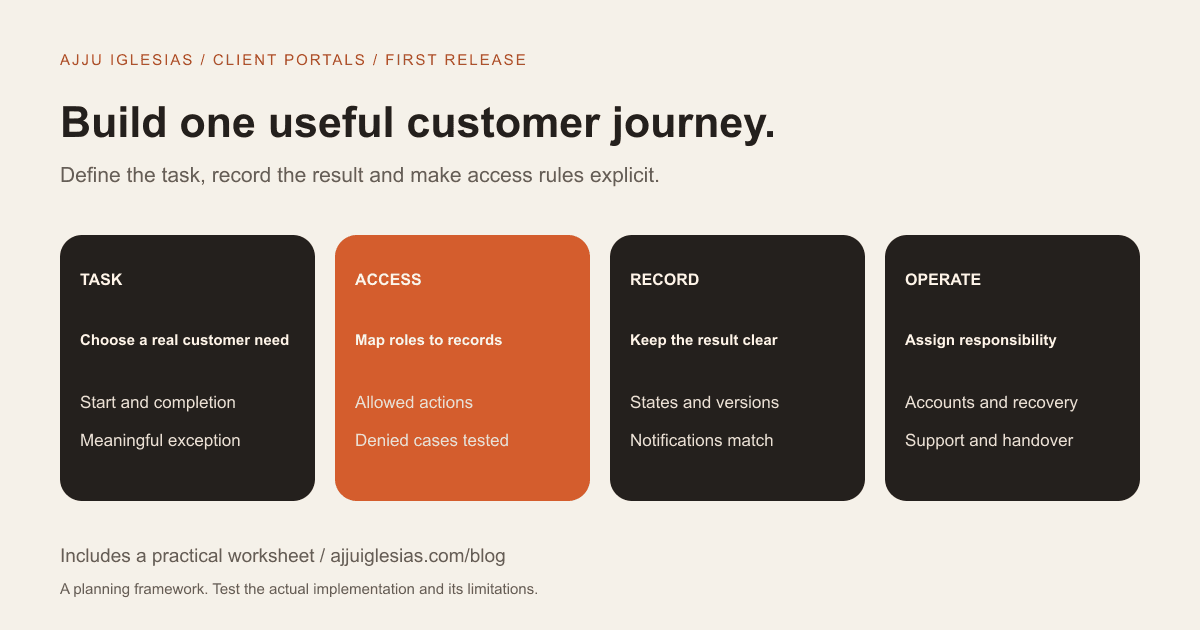
A useful first client portal should let a defined customer complete a meaningful task and let the business manage the result. It does not need to reproduce every internal tool or replace every email conversation.
For a service business, that task might be reviewing a deliverable, submitting a request or finding an approved project update. The first release needs a clear workflow, an access model and operational ownership before it needs a large dashboard.
This guide helps scope a client portal before commissioning custom development. It includes a portal requirements worksheet and an illustrative role and action matrix.
Choose the customer problem
Describe what customers struggle to do today and the evidence behind that observation. A repeated request for the latest approved document is different from a general wish to look more professional.
Ask customers and staff to show how the task currently happens. Record the handoffs, missing information and decisions that cause delay.
The portal should solve a specific part of that journey. “Everything in one place” is a direction, not a testable first-release requirement.
If an existing product may already fit the task, use the build-versus-buy framework before choosing custom development. A small integration or better configuration may be sufficient.
Define the first complete journey
Write the workflow from the trigger to completion. For a deliverable review, that could be: staff publish a version, the customer views it, the customer records a response and staff see the decision.
Then identify the information required at each stage. A file upload alone does not explain which project it belongs to, whether it is ready for review or which version was approved.
Include the result the business needs. A customer clicking a button is not useful if staff cannot distinguish the current approval from an earlier response.
The first release should complete one coherent journey rather than provide fragments of several features that still require extensive manual reconstruction.
Separate users and accounts
Identify who the users represent. A portal may have individual customers, organisations, several contacts within one client account and different staff roles.
Write down who should see which projects and records. Two people working for the same customer may still need different access, and one person may have responsibilities across more than one project.
Do not hide these decisions behind the word login. Authentication establishes identity; authorisation determines which actions and records that identity may access.
OWASP provides separate guidance on authentication and authorisation. Use those references with the developer when defining the access model, while keeping the business rules understandable to the people approving them.
Map actions to records
For each role, list the actions it can perform: view an update, submit a request, download an approved file, add a comment or manage access.
Then specify which records the action applies to. “Can view projects” is incomplete if it does not say whether that means the user's own projects, their organisation's projects or every project in the system.
Test both allowed and denied cases. A customer should be able to complete their task without gaining access to another customer's material.
The downloadable matrix is an illustration for discussion, not a ready-made security design. Replace its example roles and actions with rules appropriate to your service.
Choose a reliable status model
A project or request needs states that mean something operationally. Draft, ready for review, changes requested and approved might be useful for one workflow; another service may need different terms.
Explain who can move an item between states and what information is required. If a customer requests a change, does the item return to staff review? Can a previous approval be replaced, and what record should remain?
Avoid introducing statuses merely to fill a colourful dashboard. Each state should help a user understand what has happened and what they can do next.
Use language customers recognise. An internal abbreviation may be familiar to the team but create uncertainty for people using the portal occasionally.
Decide what notifications promise
A notification should point to a real event and an action the recipient can take. It should not be the only place the underlying decision is recorded.
Describe which events create notifications, who receives them and what happens if delivery fails. A portal can still contain the correct record while an email is delayed or missed.
Keep sensitive content out of unnecessary notification copies. Where appropriate, direct the user back to the authenticated portal rather than placing detailed project information in every message.
For delivery investigations, the contact-form enquiry guide explains why processing, sending and receipt are separate stages. A portal needs its own implementation-specific checks.
Set file and content requirements
If customers need files, define the purpose and lifecycle. Is a document a draft, an approved output, an attachment to a request or background material?
State who can upload, replace, view and remove each type. Identify size or format requirements and ask the developer how validation and storage are handled.
Versioning should answer practical questions. Which copy is current? What was reviewed? What does a customer see if a file is replaced after they received a notification?
The right implementation depends on the material and the service. Do not assume that adding a generic upload button creates a complete document-management process.
Keep internal work appropriately separate
Staff may need notes, commercial information or draft decisions that are not intended for customers. Identify those boundaries explicitly.
A portal is not necessarily a mirror of your internal project-management tool. Decide what should be shared, what should be summarised and which system remains authoritative.
If an integration is proposed, ask how permissions and record mapping remain correct. A connection that copies every field can expose information the business did not intend to publish.
Review customer and staff views separately during acceptance testing. A screen that looks correct for an administrator is not proof that customer access behaves correctly.
Plan account recovery and departure
Users forget passwords, change email addresses and leave organisations. The first release needs a defined approach to those normal events.
Ask how identity and access changes are handled, who can authorise them and how the business checks that access is removed appropriately.
Avoid a support process that casually asks customers to email passwords or other secrets. The implementation should use an appropriate account-recovery method and a clearly identified support route.
A portal without an access owner can become difficult to manage after launch. Record who maintains the customer-user relationships and what happens when a service engagement ends.
Evaluate a realistic pilot
Select a small set of representative tasks with authorised test accounts and non-sensitive sample data. Include a customer account and the staff roles involved in the workflow.
Try an ordinary case and an exception. For example, submit a review response, request a change, replace a file appropriately and check what happens when another account attempts to access that record.
Observe whether users understand the status, next action and confirmation. A technically successful process can still fail if customers cannot tell whether their response was recorded.
Write down what the pilot demonstrates and what remains unverified. A polished prototype is not evidence that all permissions, recovery paths and operational controls are ready.
Budget for the operating system
The visible portal screens are only part of the project. Scope can also include account management, permissions, storage, integrations, notifications, tests, deployment and support.
Separate initial work from hosting, provider subscriptions, monitoring and future changes. Use actual confirmed quotations where possible, and label assumptions.
Ask which activities your staff continue to do manually. A smaller first release can be sensible when that work is understood and manageable.
The software ownership guide offers a framework for comparing options. Its illustrative numbers are not portal prices or a quote for your project.
An illustrative first release
Imagine a design consultancy whose customers repeatedly ask which deliverable is ready for review. The first portal journey could focus on one project record with a current review item and a clear response.
Staff create the item, mark it ready and identify the intended customer contacts. A customer signs in, sees the relevant item, records approval or a change request and receives confirmation. Staff see the response and update the workflow.
An internal planning note remains staff-only. A different customer cannot access the item merely by following a copied link. If notification delivery fails, the review record still exists in the portal and the team has an agreed way to investigate.
This example is a planning scenario, not a client result or a complete security specification. It helps identify the decisions hidden inside the phrase client portal.
Keep the backlog honest
After the first journey is clear, record proposed additions separately: invoices, appointments, messaging, analytics or additional document flows.
For each addition, explain the user need, evidence and dependencies. Do not promote every idea into the initial scope simply because another product displays it.
Some features may be better served by an integration or a link to an existing system. A portal does not become more useful merely by absorbing every business tool.
Use the MVP feature prioritisation guide to turn the first release into a testable scope and keep later ideas visible without promising them at launch.
Acceptance checks before release
Agree the evidence needed to accept the first journey:
- An authorised customer can complete the intended action.
- The result is recorded against the correct project or request.
- Staff can identify the current status and next action.
- Another customer cannot access the same private record.
- Internal-only information stays out of customer views.
- Notifications correspond to recorded events.
- Normal account-recovery and access-removal paths are defined.
- Important actions work on the intended devices.
- Support and incident ownership are documented.
The technical team should design appropriate tests beyond this business checklist. The list is a coordination aid, not a certification that a portal is secure.
Brief the workflow before the dashboard
Start with the task, the people and the record of completion. Decide the access rules and ownership before extending the feature list.
If you want to explore a custom portal, send your current customer workflow, the problem it creates and any products you have already evaluated. The full-stack development service can be scoped around a defined first release.
Sources and scope notes
References checked on 16 October 2026:
- OWASP authentication guidance for identity-related implementation considerations.
- OWASP authorisation guidance for access-control principles.
The workflow, matrix and examples are editorial planning tools. A real portal requires implementation-specific security and data-handling assessment; this article does not certify a design or guarantee an outcome.


