The book a call vs request a quote decision is a choice about how a customer starts working with you. A call reserves time for a conversation. A quote request sends information for review. The right website call to action makes that commitment clear and fits the work your team can actually handle.
Neither label automatically produces better leads. A calendar can create meetings before anyone knows whether the project fits. A detailed form can demand answers a buyer does not yet have. Start with what both sides need to learn next.
This guide focuses on choosing the route and setting honest expectations. It includes three diagrams, hypothetical examples and a CTA planning worksheet. For a broader review of the complete enquiry journey, use the landing-page enquiry audit.
Define what happens after the click
Describe the operational result before choosing button wording. Does the person select a confirmed appointment, submit preferred times or send a project outline? Those actions create different expectations.
“Book a call” should not unexpectedly open a long application that merely asks the team to consider arranging a call. If availability needs approval, explain that the visitor is requesting a conversation rather than reserving a time.
Likewise, “Get an instant quote” promises more than an ordinary contact form. If pricing requires someone to inspect requirements, use language such as “Request a quote” and describe the review step. A request received is not the same as a quotation issued.
Write a short promise beside the action: what the visitor will do, what your team will do and how they will hear back. Only publish timing or availability commitments your team is prepared to honour.
Use a call when discussion adds value
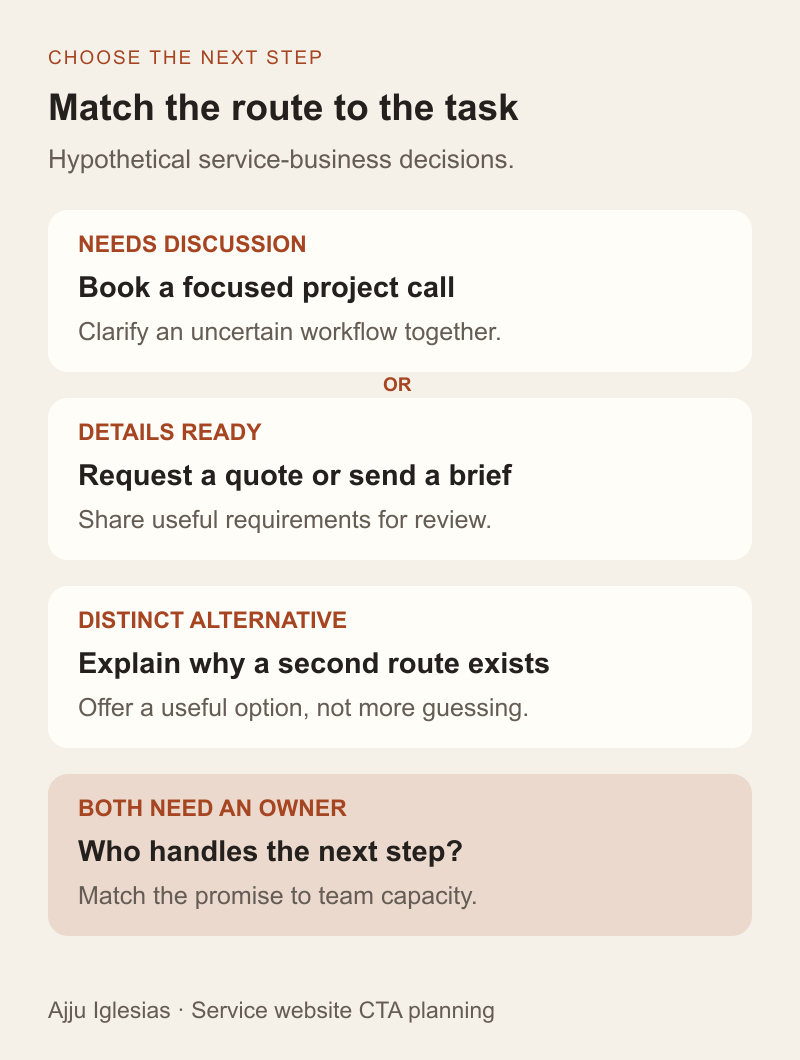
A conversation can help when the buyer's requirements are uncertain, several people need to align or the next step depends on understanding a complicated existing setup. The call should have a purpose that justifies reserving time.
For a hypothetical custom web app, the buyer may know that staff copy information between systems without knowing which integration is needed. A focused discovery conversation could clarify the workflow before either side tries to define a project.
Explain what the call covers, who attends and what preparation is useful. If the business has an actual standard duration, state it. If the call is exploratory and does not include a full technical audit or written estimate, say so in plain language.
Check whether the team can support the available slots. A calendar full of appointments that repeatedly need rescheduling creates a different experience from the one the button suggests. Capacity is part of the CTA decision, not an issue to leave until after launch.
Use a quote request when details travel well
A quote form can suit work that can be outlined without an immediate meeting. The visitor supplies relevant requirements, and the team reviews whether it can price the work, ask follow-up questions or suggest a conversation.
For a hypothetical brochure website, a buyer might already know the required pages, existing website address, content readiness and target date. A concise project outline can give a developer a useful starting point without forcing a meeting into both calendars.
Ask questions that affect the next decision. If an answer does not help assess fit, scope or follow-up, consider collecting it later. Explain unfamiliar terms and allow uncertainty where the buyer cannot reasonably know the answer yet.
The website brief template can support a later, more detailed discussion. The first enquiry form does not need to reproduce the entire project discovery process.
Match the route to the page
A general homepage can attract visitors with very different levels of readiness. A specific service page should provide enough context for its main audience to understand the proposed next step.
Review what the page explains before the action. A buyer should be able to identify the service, see relevant evidence and understand important boundaries. Changing the button cannot make up for a page that never explains what the business offers.
Consider two hypothetical situations. A visitor reading a defined website redesign service may be ready to share an existing URL and request an estimate. A visitor exploring an unfamiliar internal automation problem may need help framing the task first. The same business can provide different primary routes on those pages if the destinations and handoffs are intentional.
Keep the page promise and destination aligned. A redesign CTA should carry relevant context into the next step rather than depositing the visitor in a generic form with an unrelated service selected.
Give a second route a clear purpose
Offering both routes can be useful when the alternatives solve distinct problems. It becomes confusing when “Let's talk,” “Get started” and “Request a quote” all appear together without explaining the difference.
Choose one visually prominent action for the page's primary task. Present an alternative with a clear reason, such as a way to send a brief instead of selecting a meeting time. The visual hierarchy should help the reader understand the choices.
Do not make a call mandatory simply because it is the seller's preferred routine. Some buyers need to share information asynchronously, work in a different timezone or involve a colleague before scheduling. Equally, do not force an uncertain buyer through a detailed technical questionnaire when the business offers a suitable introductory conversation.
The alternative still needs ownership. An inbox nobody reviews is not a meaningful fallback for a calendar with no available appointments.
Write the button and supporting copy together
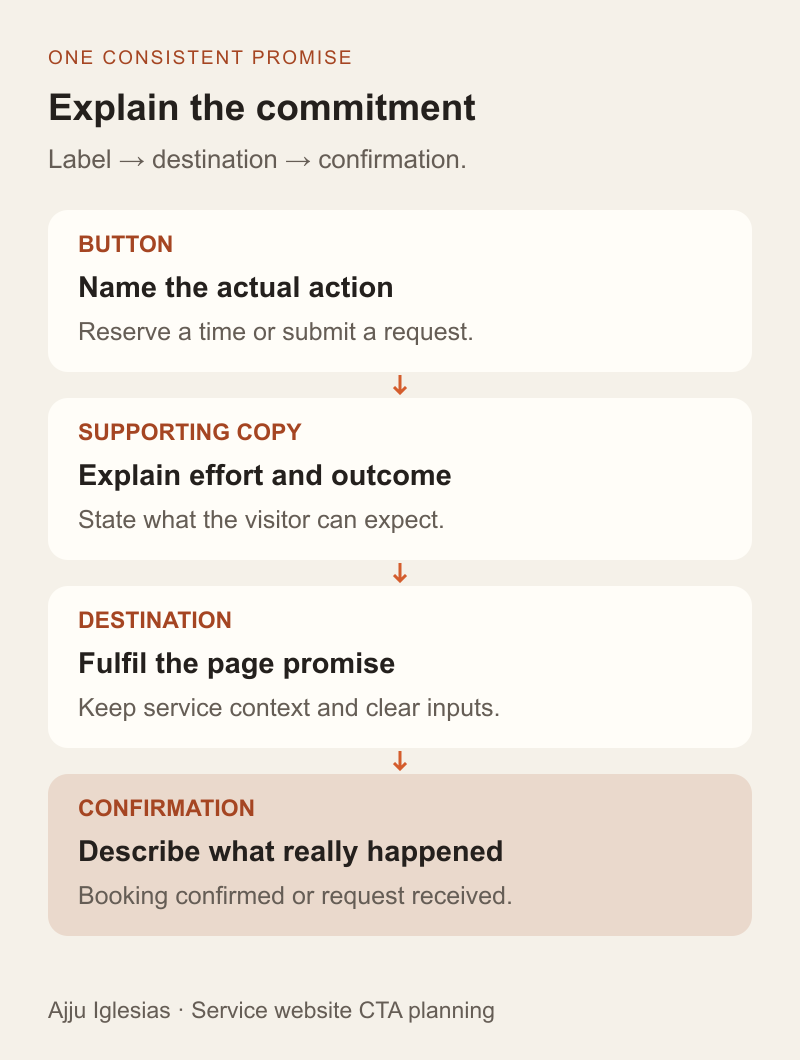
The button can stay short while nearby text explains commitment and outcome. A call route needs to clarify what is being reserved. A quote route needs to clarify what is being submitted and what review follows.
Use the following as writing patterns to adapt, not promises about services on this website:
- Book a project call: “Choose an available time to discuss your goals and the next planning step.”
- Request a website quote: “Send your current website and a short outline. The team will review the request and reply about the next step.”
- Send a project outline: “Not ready to choose a meeting time? Share what you know so far.”
Avoid adding “free,” “no obligation,” “instant” or a response deadline unless each claim reflects the actual offer and operating process. Small words can materially change what someone thinks they are agreeing to.
Test the wording with someone who has not seen the design before. Ask what they expect to happen after clicking, what effort is involved and whether the next screen fulfils that expectation. Record the misunderstandings rather than explaining the design during the test.
Make the destination usable
Check the actual destination on a phone and with a keyboard. A persuasive button is of little use if the calendar cannot be operated, the form labels disappear or a validation error gives no practical recovery route.
For forms, W3C's guidance on labelling controls explains how labels identify inputs and why placeholder text should not substitute for labels. Give fields clear names that remain available while the visitor enters information.
W3C's form instruction guidance covers communicating requirements and expected input. Explain required fields and useful formats before someone encounters an error. These checks support usability; they are not a claim that a short review proves complete accessibility.
For scheduling, inspect timezone display, available dates, booking confirmation and the route to cancel or rearrange. If a third-party tool is involved, test the embedded or linked experience visitors will actually use. Provide a workable alternative when the main route is unavailable.
Plan the human handoff
Name who receives a request, reviews fit and decides the next step. A confirmed booking also needs an attendee, preparation and a process for changes. Make these responsibilities explicit before increasing traffic.
Keep the confirmation accurate. A quote request can acknowledge receipt and explain the next review. A booking confirmation should identify the agreed time and relevant joining details. Do not use the same generic success message for actions with different consequences.
Define what happens outside normal operation: no calendar slots, incomplete briefs, duplicate requests, notification failures or a staff absence. The visitor should not have to repeat their entire request because the first notification went missing.
For the underlying record and assignment process, see the website enquiry-to-CRM guide. This article chooses the contact route; that guide explains how information reaches a responsible person.
Measure completed and useful outcomes
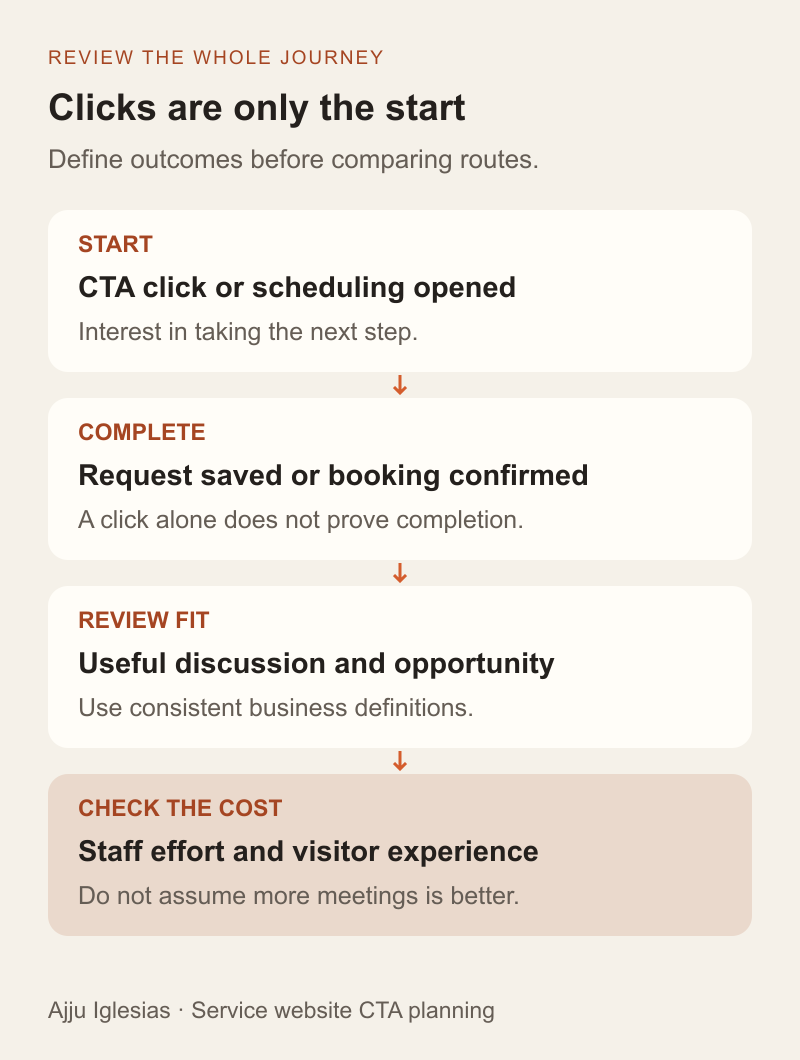
A button click measures interest in taking a step. It does not establish that a booking was confirmed, a request was received or a suitable project emerged.
Define separate stages for the route you choose. A quote journey might include CTA click, successful request, request reviewed and qualified opportunity. A call journey might include scheduling opened, booking confirmed, meeting attended and qualified opportunity. Keep duplicates and spam out of the agreed business outcome counts.
Include staff effort and visitor experience in the review. More meetings are not necessarily better if most lack relevant context. Fewer form submissions are not automatically better qualified. Inspect the records and reasons behind the totals.
Avoid sending personal form contents into analytics events. Keep event naming and measurement configuration separate from the private information needed to handle the request.
Test a change without inventing certainty
State the question you want to answer before changing the page. For example: “Can visitors with a clear project brief submit useful requirements without scheduling a call first?” This is more informative than changing button colour and wording together, then attributing every difference to the label.
Record what changed, where the visitors came from and how outcomes were classified. If traffic is limited, a few task walkthroughs and careful enquiry reviews can reveal obvious misunderstandings. They cannot establish a reliable percentage uplift or a universal winner.
If you run a controlled experiment, plan assignment, tracking and an appropriate analysis before interpreting the result. Seasonal demand, different services and changes in acquisition can make a simple before-and-after comparison misleading.
Keep an honest decision record: what was observed, what remains uncertain and whether the team can sustain the process. The best route is the one supported by the buyer's needs and your own evidence, not a generic conversion claim.
Choose a route your team can deliver
Use the CTA planning worksheet to document the page, buyer question, chosen route, promised outcome and owner. Test the entire handoff before publishing the new wording.
If the page already attracts visitors but produces little useful contact, review the website lead-generation diagnostic alongside this decision. The problem may involve service clarity, evidence or delivery rather than the CTA alone.
For help planning a service page or enquiry flow, send the page and describe what should happen after contact. Include what the buyer usually knows at that point and how your team currently handles the request. That gives us a practical basis for choosing the next step and improving the complete journey.