
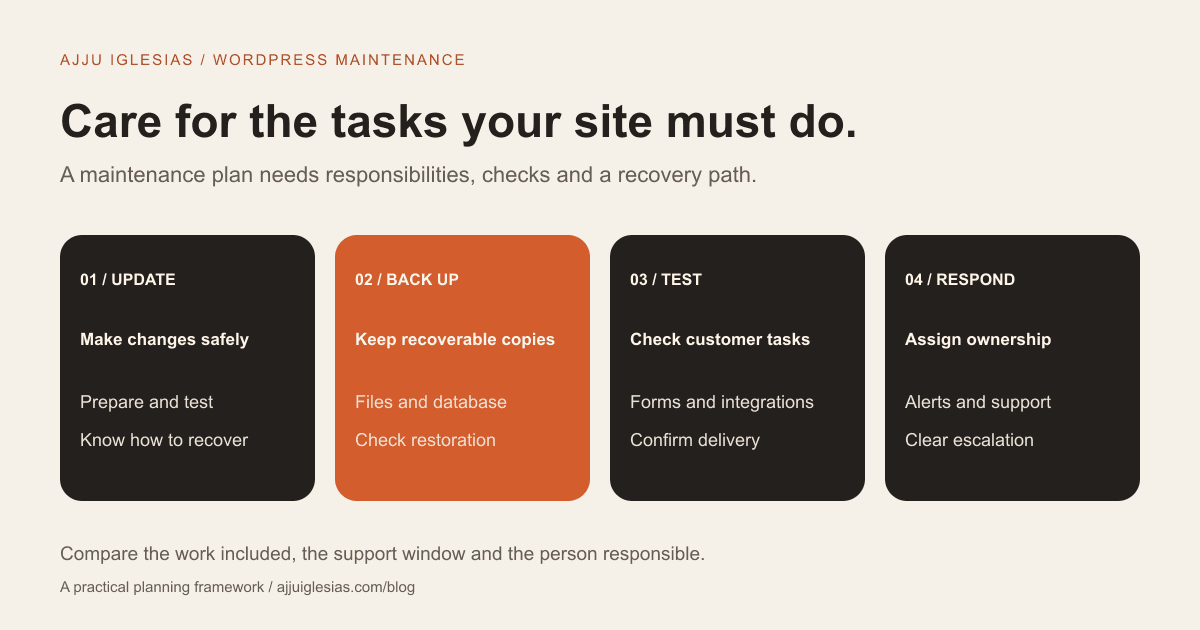
A WordPress maintenance plan should explain who updates the site, protects recoverable copies of its data, checks important customer journeys and responds when something fails. A list of installed tools is not enough to show what care your website receives.
For a business website, useful maintenance is connected to practical outcomes: visitors can find accurate information, send an enquiry, complete an intended transaction and reach someone when there is a problem.
This guide explains what to look for in a plan, how responsibilities differ from hosting, and how to compare scope without relying on an unverified price range. Use the maintenance plan comparison worksheet when discussing support with a supplier.
Start with your business workflows
List what must work on the website. A consultant may depend on an enquiry form and appointment link. A hotel may use room information and a reservation connection. A store may depend on product updates, checkout and order notifications.
Give those tasks a higher priority than cosmetic changes. A page can load correctly while a form fails silently or an important notification goes to the wrong inbox.
Tell the maintenance provider which systems are connected, who uses them and how to recognise a successful action. Where a third-party tool handles the task, record which part the website provider can investigate and which part requires the external supplier.
If you suspect that enquiries are already being lost, work through the website enquiry diagnostic guide alongside the support discussion.
Updates need a recovery plan
WordPress core, themes and plugins have separate update paths. A plan should explain how updates are reviewed, when they are applied and what happens if a change causes a problem.
Before an update, the provider should know how to recover the site. After an update, they should check the functions that matter to your business rather than assume a successful installation means every workflow still works.
Ask which updates can run automatically and which require manual review. The appropriate process depends on the site and its dependencies. A blanket promise to disable all automation or update everything immediately is not a substitute for an agreed process.
WordPress's own update guidance recommends backing up before upgrading. The provider should be able to explain the site's preparation and recovery approach in language you can understand.
Backups must be recoverable
Ask what the backup includes, how often it is created, where copies are stored and who can restore it. A copy of website files is not the same as a complete copy of a typical WordPress site.
WordPress documentation distinguishes the site's files from its database. A recovery plan normally needs both. Your provider should also identify relevant services or information outside that backup, such as an external booking platform.
Choose the backup frequency around how much recent information the business could afford to lose. A site that receives orders throughout the day has different recovery needs from one whose content changes occasionally.
A useful plan includes a way to check restoration, not just a notification that a backup task ran. Ask when a restore was last tested, where testing happens and what evidence will be recorded. Restoring into a suitable test environment avoids using the live business site as a casual experiment.
Test forms and important journeys
A maintenance report saying “all pages online” does not confirm that an enquiry reaches your team. Ask for checks based on the actual workflow.
For a contact form, test submission, validation, the visitor's confirmation and delivery to the agreed destination. If a CRM or scheduler is connected, include the appropriate downstream check in the scope.
For a transaction flow, agree safe provider-supported testing procedures. A supplier should not create real charges or customer communications simply to fill a checklist without an agreed test approach.
Also test the page on a phone. A sticky panel covering the submit button or an error message outside the visible area can affect customers even when the back-end integration works.
Keep the checks proportionate. A small brochure site does not need a duplicate enterprise monitoring programme, but its one essential form still needs an owner.
Know what monitoring covers
Different monitoring services answer different questions. Availability monitoring can identify that a page or server is unreachable. A functional check asks whether a particular task succeeds. Security monitoring looks for a different set of indicators again.
Ask which checks are included, how often they run, where alerts go and whether someone reviews them. An alert that nobody owns is a notification rather than a response process.
Clarify what happens outside normal support hours. A plan may offer a business-hours response or a separate urgent support arrangement. Neither should be assumed from the phrase “website monitoring.”
Record exceptions such as third-party downtime. Your provider may be able to investigate and communicate the issue without controlling how quickly another service resolves it.
Maintain sensible access controls
The support arrangement should make clear who has administrative access, how accounts are managed and how access is removed when someone leaves the project.
Use named accounts where practical and avoid circulating passwords in a shared maintenance document. Confirm an appropriate way to provide required access and identify who owns the accounts.
A provider can review permissions, unused components and other agreed configuration risks. Security work should have a defined scope; “security included” does not explain whether incident investigation or recovery is covered.
No responsible maintenance plan can guarantee that a website will never be compromised. Ask what prevention, detection and response work the supplier actually performs and where specialist help would be needed.
Separate care from new development
Updating an existing plugin, changing a service description and adding a new booking workflow are different types of work.
Ask whether content edits are included and what the allowance means. Is it a time allocation, a defined set of tasks or a separate estimate for each request? Who supplies and approves the material?
State which changes require a new project scope. A maintenance arrangement should not turn every small correction into an argument, but it also should not imply unlimited custom development.
For substantial changes, use the website brief template to describe the requirements. If the site's underlying structure needs replacement, a scoped redesign may be more appropriate than repeatedly patching the same limitation.
Hosting and maintenance are different
Hosting provides the environment in which the site runs. A managed host may also supply backups, updates or security services, but the actual coverage depends on the agreement.
Website maintenance can include application-level checks, connected forms, content changes and support coordination. Do not assume the host tests your enquiry journey or that the maintenance provider controls the hosting infrastructure.
List the overlapping responsibilities and the gaps. For each important function, identify the responsible supplier, account owner, renewal date and contact route.
This is particularly useful when a website uses separate hosting, domain registration, email delivery and booking software. Clear ownership makes investigation easier when an issue crosses several services.
Compare costs by the work included
WordPress maintenance cost depends on the site's complexity, the checks included, the support window and the amount of ongoing work. A provider handling a simple editorial site may be quoting a different service from one supporting an active store.
Ask for initial assessment or onboarding fees, recurring care fees, separately billed work and third-party renewals. Confirm which subscriptions you pay directly and which are part of the supplier's package.
Compare the same responsibilities across proposals. A lower fee that excludes restore work or important integration checks may not be equivalent to a broader plan. A higher fee still needs an explanation of the additional coverage.
This article does not supply a verified India-wide average or a quoted fee for my services. The worksheet is designed to help you request an appropriate scope instead of comparing unsupported price labels.
Ask for a useful care report
A report should tell you what was checked, what changed, what failed and what needs a decision. It does not need to be a long automated document.
For example, an update record can identify the component, date, result and related checks. A form test can state which route was tested and whether the message reached the agreed destination.
Ask for unresolved risks to be explained plainly. An expired licence, unsupported component or inaccessible account needs a proposed next step and an owner.
Keep sensitive information out of ordinary reports. Access credentials and customer message contents should not be pasted into a general activity summary.
Agree what happens during an incident
Define how to report a problem and what information helps investigation: the affected URL, the time observed, the action attempted and any non-sensitive error message.
Distinguish response from resolution. A promise to acknowledge a request within a particular support window is not a guarantee that every issue will be fixed in that period.
Ask who can authorise recovery work, whether it is included and how customer-facing updates will be handled. Where restoring an older state could affect recent data, the business needs to understand that tradeoff before recovery proceeds.
A named escalation route is more useful than a vague statement that the provider is always available.
Your maintenance comparison checklist
Before choosing a plan, record:
- The essential customer and staff workflows.
- Update responsibilities and post-update tests.
- Backup coverage, storage, frequency and restore checks.
- Form and integration testing.
- Monitoring scope, alert ownership and support hours.
- Account access and renewal responsibilities.
- Included content changes and excluded development.
- Incident response, recovery scope and reporting.
Use the downloadable worksheet to compare suppliers against this list. Mark anything undecided and ask the provider to explain how it changes the proposed scope.
Choose care around your website
Start with the tasks your site needs to keep performing and the responsibilities your team can own. Then select a care arrangement that covers the remaining work clearly.
If you want to discuss ongoing support, send your website and current setup. Include your important forms or integrations and any known issues. The maintenance and support service can then be scoped around the actual website.
Sources and scope notes
Technical references checked on 15 October 2026:
- WordPress backup guidance explains files, databases and recovery preparation.
- Updating WordPress describes update preparation and the role of backups.
- Hardening WordPress provides official security guidance.
The workflow checklists and supplier questions are editorial planning tools. They are not a security audit, an uptime guarantee or a substitute for assessing the actual site's configuration.


