
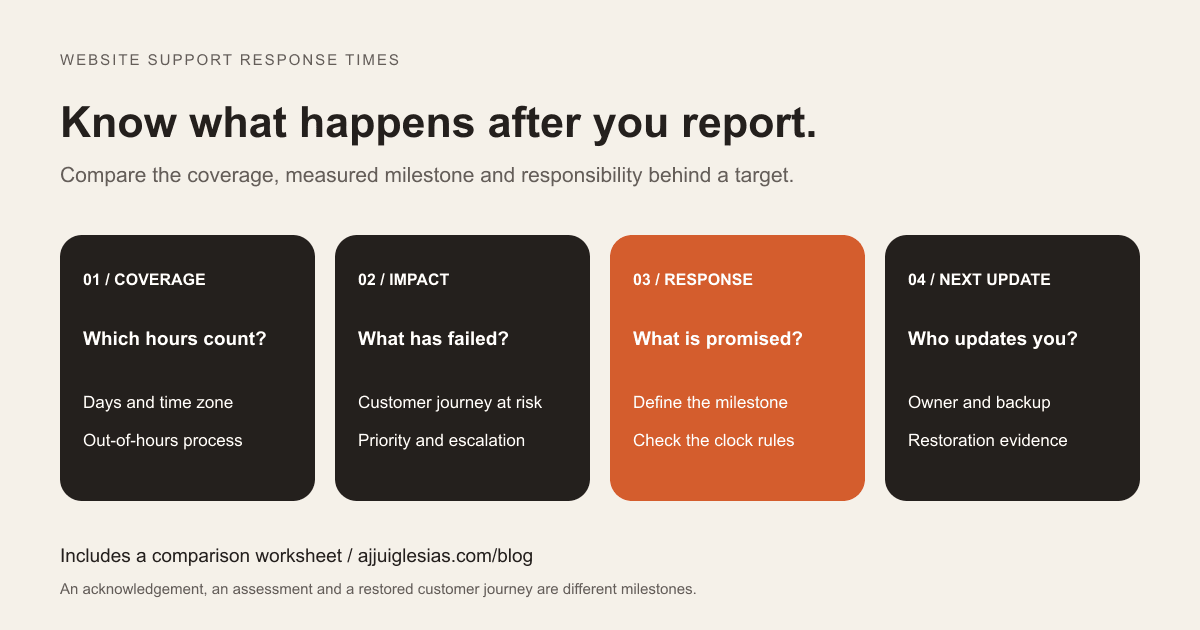
Website support response times are meaningful only when you know what starts the clock, which hours count and what the provider promises to do before the clock stops. “Priority support” leaves those questions unanswered.
For a business that depends on website enquiries, a useful support plan makes an incident visible, assigns responsibility and explains what happens next. It also distinguishes a response from restoring the affected service.
This guide helps you compare the operating details of website maintenance and support proposals. It is not a set of advertised support commitments. The timing examples are hypothetical, and the support comparison worksheet leaves targets blank for the providers you are actually considering.
Start with the business task at risk
List the website functions that matter to daily operations. A service business may depend on enquiry acceptance and delivery. A hotel may depend on a reservation journey. An online shop may depend on checkout and payment confirmation.
Describe the consequence when each function fails. Can customers use another route? Does work stop, or can the team continue manually? Does a failure affect every visitor or one particular action?
Use that description to discuss support coverage. A business accepting time-sensitive enquiries throughout the weekend may need a different arrangement from a brochure website whose staff work weekday office hours.
Include quiet failures. A homepage can load normally while a form stops delivering requests. Supporting the business task requires more than deciding whether the public site appears to be online.
Define what a response means
Ask the provider to name the milestone measured by a response target. An automated ticket receipt, a person acknowledging the issue and an engineer assessing it are different events.
A useful acknowledgement confirms that the report reached the support process. A qualified assessment establishes the affected function, current impact and responsible person. Neither necessarily means that a repair has been completed.
Write down what evidence records the response. It might be a timestamped ticket update from the assigned support person. If a provider counts an automatic email as the response, compare that definition explicitly with other proposals.
Avoid comparing two numbers without their definitions. A shorter target for an automated receipt may offer less useful information than a longer target for a named person to begin assessment. The right comparison uses the same milestone and coverage period.
Separate restoration from final resolution
An incident can pass through several useful milestones. The team acknowledges it, investigates the impact, applies a workaround, restores the affected service and checks whether further corrective work is needed.
For example, a temporary alternate enquiry route might help customers while the normal form is repaired. That is a workaround with its own limitations. Restoring the form requires evidence that it accepts and delivers requests again. Investigating why it failed may continue afterward.
Ask which milestones have targets and which depend on the cause. A provider may be able to commit to an assessment window while a third-party outage prevents a reliable repair estimate. The next update should explain that uncertainty.
The Atlassian incident-response handbook describes assessment, communication, escalation and resolution as distinct parts of its own process. A small website can use a simpler process while still keeping those responsibilities clear.
Read the coverage hours carefully
Record the days, hours, time zone and holiday treatment for each support tier. If different priorities receive different coverage, note that distinction. An emergency contact available overnight may follow a separate process from routine email support.
Consider a hypothetical plan with support from 09:00 to 17:00, Monday to Friday, and a two-business-hour response target. If an accepted report arrives at 18:00 on Friday, and Monday is a normal covered day, a clock that begins at the next opening would reach its target at 11:00 on Monday.
That example follows an explicitly stated clock rule; it is not a universal interpretation of “two hours.” Ask the provider to calculate the same example using its own proposal, including any holidays or special incident coverage.
For businesses in India working with overseas suppliers, write the time zone explicitly. “Office hours” can describe two very different windows for the customer and the support team.
Classify incidents by actual impact
Agree on practical priority examples before an incident happens. Labels such as critical, high and normal are useful only when the people reporting and receiving the issue understand them similarly.
A discussion could distinguish a complete loss of the primary customer journey, a serious failure with a usable workaround and a lower-impact issue such as an incorrect image on a secondary page. These are illustrative categories, not universal standards.
Describe exceptions. An incorrect telephone number on a busy campaign page may deserve more attention than a purely cosmetic mistake. A failure affecting a small number of customers can still matter substantially to those customers.
Ask who assigns the initial priority, who can revise it and how a disagreement is escalated. Record priority changes with reasons so that a report is not silently downgraded while the business assumes urgent work is underway.
Separate monitoring from human coverage
A monitoring tool can check a URL continuously without providing continuous human intervention. Ask who receives its alerts, what happens outside staffed hours and how the team notices an alert that has not been acknowledged.
Identify what the checks actually test. A successful homepage request does not establish that a booking integration, login or enquiry delivery path is working. More detailed journey checks need a design that avoids generating unwanted real transactions or messages.
Agree how scheduled checks, customer reports and provider notifications enter the same incident process. Otherwise, the monitor may report a failure in one place while the customer's ticket waits somewhere else.
If the plan includes an availability target, establish the measured service, observation window and treatment of failures. Google's explanation of indicators, objectives and agreements is a useful reference for distinguishing a measurement from a target or agreement. A headline percentage needs that context.
Use a reporting route people can follow
Name the accepted support channel and the information a report should contain. A useful report identifies the page or function, the observed behaviour, when it started and the business impact. Include a safe example or screenshot where appropriate.
Do not put passwords, access tokens or private customer records into an ordinary ticket. Ask for the approved method if support needs sensitive diagnostic information.
Clarify what happens when the normal channel fails. If support is available only through a portal hosted on an unavailable service, the business needs an agreed alternative. Keep that route accessible outside the website itself.
Use a single incident reference when updating several people. Repeated messages across email, chat and telephone can create parallel investigations unless the team knows which record contains the current status.
Agree escalation and update expectations
An escalation route should explain who acts when the assigned person is unavailable, a response target is missed or the impact increases. Identify a backup role and the method for reaching it.
Set communication expectations independently of the repair estimate. A helpful update states what is affected, what has been checked, whether there is a workaround and when the next update is expected. It can be useful even when the cause remains uncertain.
Choose a cadence proportionate to impact and staffing. Do not insert a generic update interval simply because it appears in another provider's enterprise plan. Ask what the proposed team can actually sustain.
Name the person who communicates with customers if that becomes necessary. Technical support may restore a function while the business decides how to explain delays or follow up on requests affected by the outage.
Map external dependencies
Website support often involves systems managed by different organisations: hosting, DNS, email, payment services, booking software or a CRM. List the dependencies relevant to your main customer journeys.
Ask who opens third-party support requests and who maintains the required access. A developer cannot reliably investigate a service the business cannot identify or access. The website handover checklist helps build that inventory.
Distinguish what the provider can repair directly from what it can investigate, escalate or work around. A third-party dependency may limit restoration options, but the plan can still specify communication and coordination responsibilities.
For enquiry problems, the contact form troubleshooting guide illustrates why the affected stage needs to be traced. A missing notification, rejected submission and unavailable CRM are different failures even when the customer describes all three as “the form is broken.”
Check scope and approval boundaries
Ask which incident work is included and which work requires additional approval. Record allowances, charging arrangements and the process for work that exceeds the plan. Keep routine content changes and new features separate from incident recovery.
Define who can approve operational actions such as a rollback, disabling an integration or publishing a temporary message. The decision may affect current enquiries or transactions, so the responsible business contact needs to be reachable.
Ask how the team handles a situation where approval is needed but the contact cannot be reached. That boundary should be discussed while planning the service, rather than improvised during an outage.
For a broader view of routine care, read the WordPress maintenance plan checklist. This guide focuses on incident handling and service expectations rather than repeating its update and backup requirements.
Walk through a realistic incident
Imagine a hypothetical service business whose enquiry notifications stop arriving while the website remains visible. The team reports the issue through the agreed channel, describes the affected form and states when it last received a confirmed request.
Support acknowledges the report, checks whether requests were accepted and identifies the affected stage. A business contact approves a temporary contact route if one is needed. The incident record states who is investigating and when the next update will arrive.
After the connection is repaired, the team submits a labelled test and verifies the result at the receiving end. It also checks whether any accepted requests remain pending. The business decides how to respond to affected customers.
This example does not establish a repair time or describe a completed client incident. It provides a practical scenario to ask prospective providers to explain, including their coverage, escalation and evidence requirements.
Review evidence before renewing
Ask for a useful support record: reported impact, priority, acknowledgement, assessment, restoration check and follow-up actions. Where targets are measured, keep the clock rules and timestamps visible.
Review recurring causes and whether agreed improvements were completed. A fast response to the same failure every week may still leave an important reliability problem unresolved.
Use the support-plan comparison worksheet to compare proposals on equivalent terms. Mark unanswered questions as open rather than assuming a favourable interpretation.
For help reviewing website support needs, describe the platform, important customer journeys and required coverage. That gives the discussion a practical basis for deciding which responsibilities the website needs and which service arrangements can support them.


