
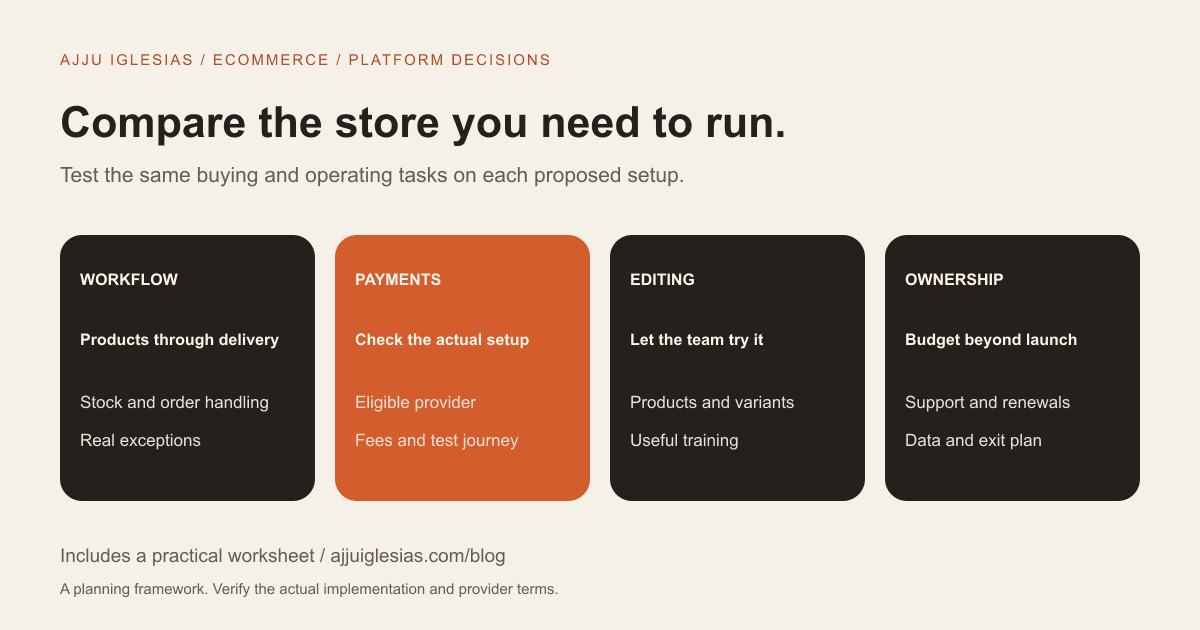
Shopify and WooCommerce can both support an online store, but they organise cost, control and operational responsibility differently. For an Indian business, the useful comparison starts with the way orders, payments, stock, delivery and customer support need to work.
Do not choose from a feature-count comparison alone. A feature being available somewhere in an ecosystem does not show that it is included in the proposed plan, works with your providers or can be maintained by your team.
This guide compares the platforms through practical buying decisions. It includes an ecommerce requirements worksheet so you can ask a developer to demonstrate the same workflows on each option.
Compare the actual store
Begin with a description of what you sell and how customers buy it. Physical goods, digital downloads, subscriptions, made-to-order products and trade orders create different requirements.
List product variations, delivery areas, stock sources and the information a customer needs before checkout. Then identify who manages each task after the order arrives.
An existing business should also describe its current tools. Accounting, courier, inventory and customer-support systems can affect the suitability of a platform more than the appearance of a theme.
If your brief currently says only “an ecommerce website,” use the website brief template to make those decisions visible before requesting a quote.
Understand what you are comparing
WooCommerce is an ecommerce platform for WordPress. Comparing Shopify with “WordPress” for a store usually means comparing Shopify with a particular WooCommerce implementation, including its hosting, theme, extensions and support.
Shopify provides a hosted commerce platform through its plans. The practical question is which plan and additional tools support your requirements, and what work the implementation supplier includes.
Neither label describes the complete service you will receive. A Shopify implementation can involve design, configuration, apps and custom integration. A WooCommerce implementation can involve hosting choices, extensions and ongoing application care.
Request the proposed configuration in plain language. A comparison between “Shopify” and “WooCommerce” becomes useful only when the supplier identifies what each proposed store actually contains.
Compare the recurring cost
On 15 October 2026, Shopify's Indian pricing page displayed Basic at ₹1,499 per month under yearly billing, and ₹1,994 per month under monthly billing. Those are the provider's displayed plan prices at that date, not a quote for my development services or the complete cost of a store.
The same pricing page listed a 2% third-party payment-provider fee for Basic. Check the current plan, billing conditions, applicable taxes and your payment arrangement directly. Provider promotions and plan details can change.
WooCommerce describes its core platform as free, with hosting and chosen extensions budgeted separately. That does not mean a professionally built and maintained store has no cost.
For both proposals, separate the initial build, recurring platform or hosting fees, paid extensions or apps, payment costs, support and future changes. Use actual selected products rather than a generic annual total copied from another store.
Test the payment requirements
List the payment methods your customers need and the provider you intend to use. For an Indian business, that may include specific local payment expectations, but availability must be checked against the actual provider, business eligibility and proposed platform setup.
Do not assume a demonstration from another country proves your store can accept the same methods. Ask the supplier to identify the integration and show the supported customer journey using an appropriate test environment.
Shopify documents third-party provider connections and notes that applicable third-party transaction fees can apply. Payment-provider charges and platform charges should be understood separately rather than combined into an unexplained percentage.
On either platform, test the order record, payment status, confirmation and failure path. A payment screen that looks correct is only one part of the workflow.
Map stock and order handling
Explain where stock is maintained and how updates reach the online store. If you also sell offline or through other channels, describe the process for preventing conflicting availability.
Ask the supplier to show a representative order from placement to fulfilment. Who sees it, which system receives it and what happens when a product becomes unavailable?
Features such as partial fulfilment, backorders or multiple stock locations need a specific demonstration if they matter to the business. Do not assume that a broad inventory label covers every operational requirement.
Create a short list of exceptions from real orders. An unsuitable address, a cancellation after processing or a changed product variant can reveal integration gaps that a normal test order does not.
Check shipping and fulfilment
Document your actual delivery areas and how charges are determined. Include whether you need different methods by product type, order size or destination.
Name the fulfilment or courier systems you expect to connect. Ask what the integration does and what work remains manual. Producing a label, updating tracking and notifying the customer are distinct steps.
If the business uses cash on delivery, record the operational requirements around eligibility, confirmation and reconciliation. Ask the chosen provider how its specific setup supports them.
Keep the comparison tied to the proposed store. An available app or extension is a lead to investigate, not proof that the full workflow has been tested with your products and team.
Evaluate product editing
Give the person who will run the store a realistic task: add a product, update a variant, change a photograph and correct an availability detail. Observe the steps rather than judging only the storefront.
WooCommerce's documentation describes store and template editing options, including product and checkout-related layouts. The editing experience still depends on the theme, extensions, permissions and implementation selected.
For Shopify, ask the supplier to demonstrate the tasks in the proposed configuration and account permissions. Do not assume a tool's availability means every staff member has access or needs administrator privileges.
Record training and documentation requirements in the quote. A setup your team cannot confidently operate creates continuing dependence regardless of the platform.
Separate design from custom behaviour
A theme can provide a visual foundation, but it does not automatically solve your product explanation or buying journey. Good product information and clear navigation remain editorial work.
List which changes are visual and which alter functionality. A different product-page layout is not the same requirement as a custom approval workflow or an unusual pricing process.
Ask how custom work will be maintained. A modification that appears straightforward in the initial build may interact with future theme, app or extension updates.
Neither platform's flexibility should be described as unlimited. Ask for a concrete approach to your critical requirement, its constraints and the ongoing support implications.
Assign maintenance responsibilities
For a WooCommerce implementation, identify who manages hosting, backups, updates, compatibility checks and recovery. The maintenance plan checklist can help define those responsibilities.
A hosted platform reduces some infrastructure responsibilities for the merchant, but it does not remove the need to manage products, accounts, connected tools and customer workflows. Ask what your supplier continues to support.
List the owners of alerts, integration failures and subscription renewals. If one supplier maintains the storefront while another manages fulfilment, define the handoff between them.
The useful comparison is not “maintenance versus none.” It is which responsibilities are handled by the platform, your implementation supplier, other providers and your own team.
Treat SEO as an implementation task
Do not select a platform on a promise that its name alone will deliver rankings. Product information, useful category pages, working navigation, appropriate metadata and a sound implementation still need attention.
Ask the supplier to show how your team will edit relevant content and maintain important URLs. If you are replacing an existing store, include redirects, content transfer and launch checks in the scope.
Use the website migration checklist to organise that work. A platform comparison should not quietly assume that an established store can move without migration planning.
Also examine the actual mobile buying task. A page should help customers understand the product and complete the intended action, not simply score well in an isolated demonstration.
Plan for data portability
Ask what you can export, in which format and what remains outside a particular export. Include product information, customer and order records where appropriate, media, content and application-specific data.
Shopify documents product CSV exports and explains that product image files themselves are not embedded in that CSV. A product export should not be treated as a complete copy of the entire operational store.
A WooCommerce backup and a usable migration export are also different things. Your provider should explain the recovery and portability arrangements for the implementation being proposed.
Request a small demonstration using appropriate non-sensitive sample data. Being able to inspect the result is more useful than receiving a general assurance that you will “own everything.”
Compare a realistic ownership budget
Build a budget covering the same period and workload for both options. Record the date and source of provider prices, billing terms and assumptions about required tools.
Separate fixed subscriptions from costs that change with use. Use a transaction scenario only after the chosen provider has confirmed which charges apply.
Include implementation, content, training, support and likely future work. The result should show what you are comparing, not pretend to predict every cost the business will incur.
Where a requirement is uncertain, label it and request a scoped alternative. A lower total built on missing information is not necessarily the cheaper solution.
Two illustrative store choices
Imagine a business selling a straightforward catalogue with standard fulfilment and a team that wants a consistent operating environment. It may find a hosted platform attractive if the required payment, shipping and editing tasks fit the proposed setup.
Now imagine a business with an established WordPress content operation and a specific commerce workflow that a capable team can maintain. A WooCommerce implementation may deserve serious consideration if its requirements and ownership costs are clearly scoped.
These are examples of questions to investigate, not recommendations based solely on company size. Either scenario could lead to a different choice after a real demonstration.
Questions for the implementation supplier
Use the same questions for both proposals:
- Which plan, theme, apps or extensions are included?
- Which required workflows have been demonstrated?
- Who configures payments, shipping and notifications?
- What work remains manual?
- Which accounts does the business control?
- What content and product data must we supply?
- What training and launch tests are included?
- Which fees recur, and who pays them?
- How are integration problems handled?
- What can we export if the setup changes later?
Record answers beside evidence and unresolved questions. The best choice should be explainable in terms of your business tasks rather than platform loyalty.
Choose the setup you can operate
Start with the complete order journey, test the critical requirements and compare the responsibilities you will own after launch. Then decide which implementation fits your team, budget and support arrangements.
If you want help defining the requirements, send your product and operating workflow. The CMS and ecommerce development service can be scoped around the store you need to run.
Sources and checked date
Provider references were checked on 15 October 2026:
- Shopify India pricing for the dated plan-price and fee snapshot.
- Shopify third-party payment providers for provider configuration and related fees.
- WooCommerce pricing for its core-platform and cost model.
- WooCommerce store editing for editing documentation.
- Shopify product exports for the export example.
The comparison questions and scenarios are editorial guidance. Verify current commercial terms and the proposed implementation before committing.


