
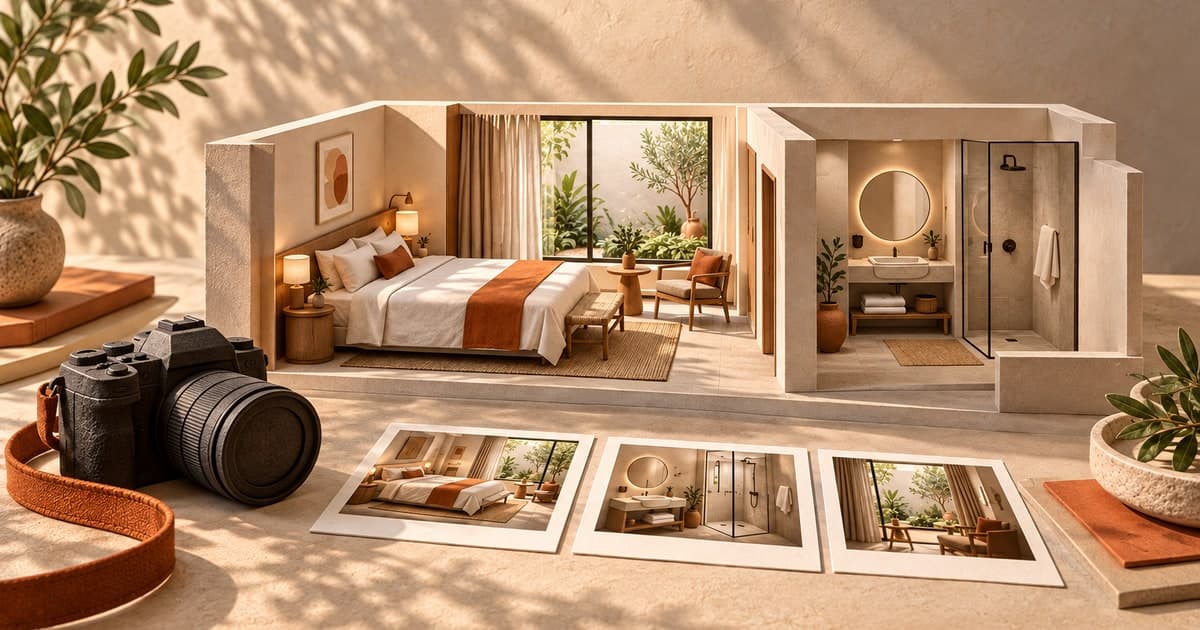
A useful hotel website photography checklist begins with what a guest needs to understand before booking. A beautiful photograph can introduce the property, but the complete image set also needs to explain the room, bathroom, facilities and arrival experience accurately.
Plan those views before the photographer arrives. It is easier to reserve the right rooms and prepare a shot list than to discover during website development that the only bathroom photograph belongs to a different room category.
This guide covers the shoot brief, asset organisation and web handoff. It complements the hotel room-page checklist, which covers the information published on those pages. The cover here is an editorial illustration, not a photograph of a real property. Download the photography brief and shot-list template to adapt the process.
Start with the guest's questions
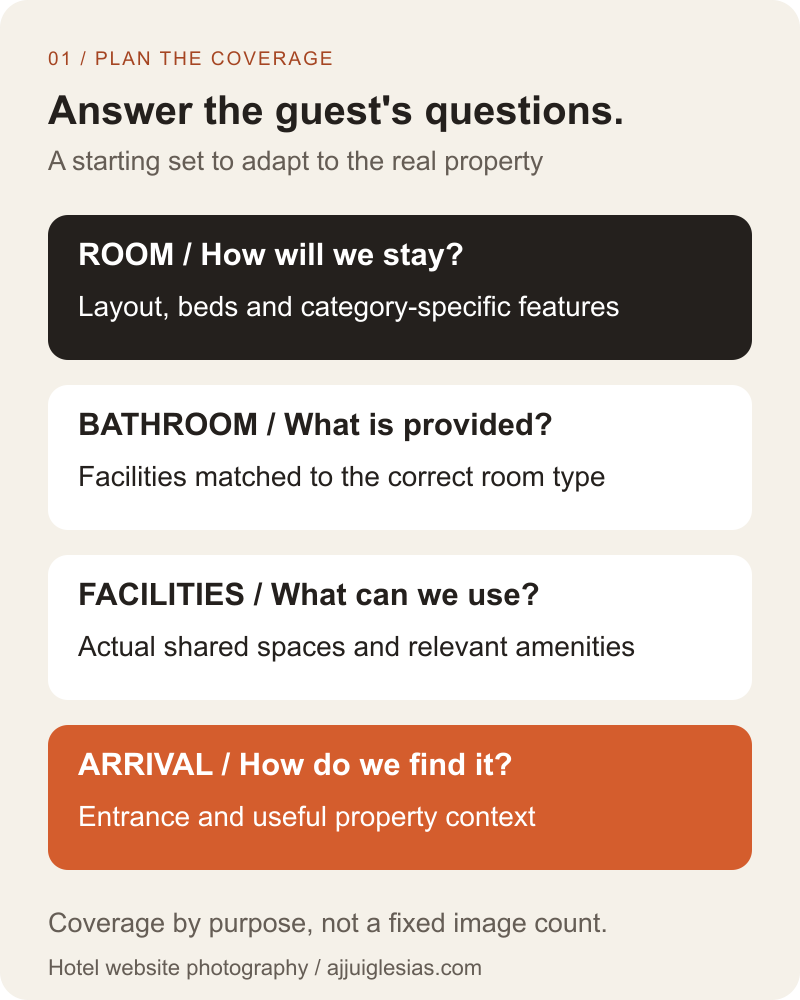
List the decisions guests need to make from the website. Can two people use separate beds? What does the bathroom contain? Is the balcony private? Where is the entrance? Which photographs would answer those questions clearly?
Group the questions by page and room category. Some belong in a general property gallery, while others need to sit beside a particular room description. Mark anything the business cannot yet verify so it does not become an unsupported visual claim.
Choose coverage by purpose. A close-up of a decorative object may help communicate atmosphere, but it does not explain the sleeping arrangement. Several nearly identical views can leave a practical question unanswered.
The first diagram groups a useful starting set into room, bathroom, facilities and arrival coverage. Adapt each group to the actual property rather than photographing amenities simply because they appear in a generic checklist.
Create a room-type register
Use the room names that will appear on the website and in the reservation process. Add an internal identifier if staff use different labels. Record which physical room will be photographed as the example for each category.
Note meaningful variations within a category. A corner room may have a different view or layout from other rooms sold under the same name. Decide how the website will describe that variation before selecting a single image as representative of the whole category.
Assign somebody at the property to confirm those details during the shoot. The photographer may produce strong images without knowing whether a photographed feature is available in every room the website will sell.
Keep the register with the image library. It gives the website team a reference when placing files and helps the business identify which assets need replacement after a renovation or category change.
Give every shot a destination
Identify where an image is expected to appear: homepage feature, room card, room gallery, facilities page or arrival instructions. Ask the website team for the relevant display shapes before agreeing the brief.
A wide homepage image and a compact room card may need different compositions. If text will sit over part of the photograph, discuss the usable area without hiding an important room feature behind the heading.
Request alternatives for placements that matter. A gallery can show a full scene, while a card may need a tighter selection. Keep suitable original masters so future layouts do not depend on enlarging a small web export.
Document the intended use beside each shot. This is especially helpful when several people review the image set: they can judge whether a file works for its destination instead of choosing favourites without considering the layout.
Write a workable shoot brief
Include the property address, site contact, room register, required coverage and planned deliverables. Identify the dates or access windows when rooms and common areas can be photographed without disrupting guests.
Assign preparation tasks to the property team. Confirm who opens rooms, checks the setup and answers questions about facilities. A photographer waiting for access cannot complete the schedule simply because the required image list is clear.
Discuss any people expected in the photographs and the permission arrangements before the shoot. Keep guest information and personal belongings out of the planned scenes. Record the agreed image uses and delivery materials with the supplier.
Reserve a way to handle unavailable areas or unsuitable weather. The plan might prioritise indoor coverage and identify a separate exterior session if needed. Describe that contingency rather than assuming every required scene can be captured in one fixed window.
Capture rooms as guests will find them
Prepare a room that reflects the offer being sold. Check that the visible bed arrangement, furniture and supplied items match the category and the current service. Photograph temporary extras separately if they need qualification.
Use views that communicate the space honestly. If a composition makes an ordinary room difficult to recognise, ask whether it helps the guest understand the actual accommodation. A photograph should support the written description rather than quietly contradict it.
Expedia Group's photography toolkit recommends coverage across room categories, bathrooms, exterior, arrival areas and relevant amenities. It also emphasises representative images. Those are useful reference categories; its platform-specific quantity and delivery guidance should be checked separately from the requirements of your own website.
Select different views for different information. One can establish the layout, another the sleeping arrangement and another a feature that distinguishes the category. Write the intended answer beside each shot so the final selection is purposeful.
Photograph the details that affect a stay
Give bathrooms their own coverage. Show the facilities a guest would reasonably expect to assess, and make sure the selected file belongs to the correct room or clearly described shared arrangement.
For common areas, decide what the photograph needs to establish. A dining-space image, for example, should not by itself imply that every room rate includes meals. Keep the related page wording precise.
Include useful arrival views when they help guests recognise the property. An entrance photo can support directions; it is not a substitute for accurate location information or instructions.
Images of access features need particular care. Photograph specific features that can be verified and describe them accurately. A photograph of one doorway should not be treated as proof that an entire stay will meet every visitor's access needs.
Label files before they get separated
Give each selected image an asset identifier linked to its room type, subject, capture date and approved use. Keep that information in a register rather than relying on somebody remembering what a camera filename refers to.
For example, an illustrative filename such as standard-twin-bedroom-01.jpg is easier to interpret than a generic sequence. It still needs the register to establish which room was shown and whether the photograph remains current.
Separate source masters, reviewed selections and web exports. Preserve the relationship between them so that replacing a card crop does not accidentally replace the original file used elsewhere.
The handoff diagram below shows the sequence: capture, identify, approve and export. Each step adds information the next person needs. Exporting attractive files without their room mapping leaves an avoidable placement risk.

Check crops in the actual layout
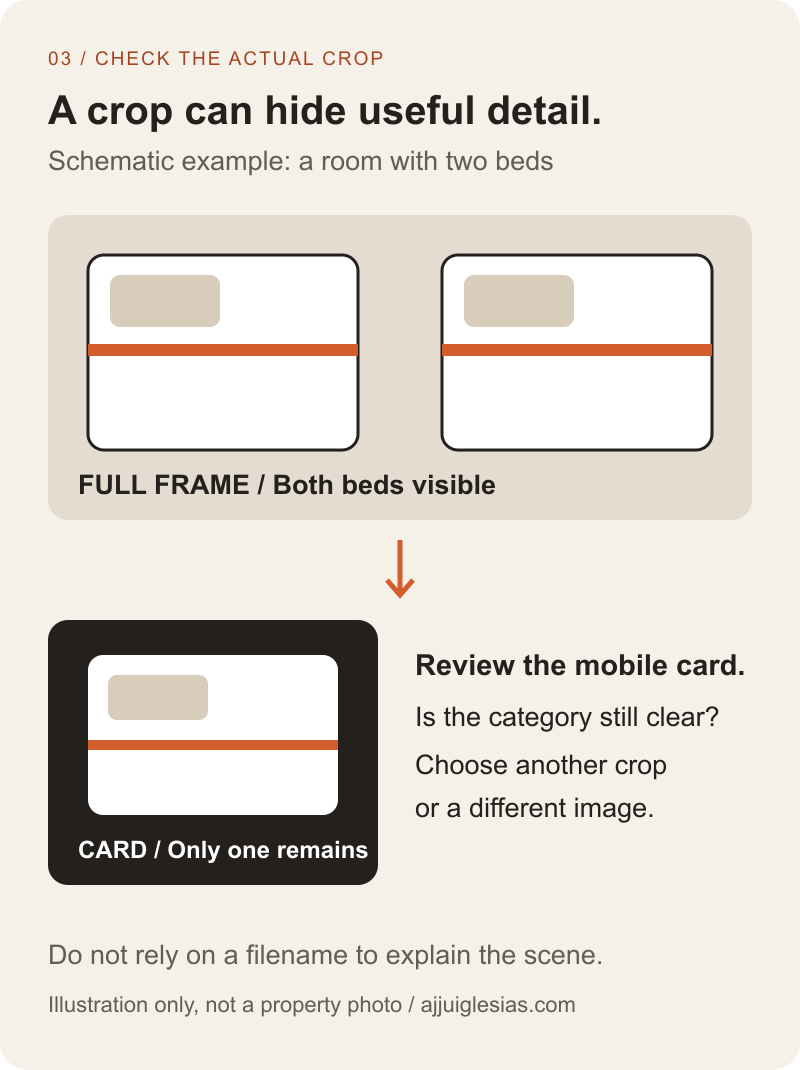
Review the selected photographs in representative desktop and mobile placements. The same image can communicate different information when a narrow card removes its edges or an overlay covers a useful detail.
Check the subject that matters to the decision. If a twin-room card crops out the second bed, the photograph no longer supports the category as clearly. Choose a different composition or placement rather than expecting the filename to explain what is missing.
Keep crop decisions separate from claims about the room. A crop can simplify a composition, but it should not hide a relevant limitation the guest needs to understand. Pair the image with accurate copy.
The crop-review diagram uses a schematic scene, not a property photograph. It illustrates how a detail visible in the full frame can disappear from a card. The practical check is to inspect the real image in its real destination before publishing.
Prepare images for the web
Ask the website team to define responsive delivery and suitable export sizes for the intended layouts. Preserve clear detail without sending every visitor the full source master. Compare the delivered page visually rather than choosing a universal compression number.
Use descriptive filenames, relevant surrounding text and appropriate alternative text. Describe the useful content of the image; do not turn alt text into a list of destinations and hotel keywords.
Google's image SEO guidance discusses image context, descriptive text and delivery practices. These support a useful implementation; they do not promise image-search rankings or a particular number of bookings.
Review gallery controls as well as the assets. Check that images are usable on mobile, that controls can be operated appropriately and that important information remains available in text. Images should clarify the offer rather than carry essential details that the page never explains elsewhere.
Approve the set before publication
Use a review record with three questions: does the image represent the offer accurately, is it placed under the correct category, and does the chosen crop work for the page? Name the person approving each decision.
Check website and reservation-system naming together. A guest moving from a room page into a booking engine should not meet a differently named category whose photographs suggest another room.
Record missing coverage explicitly. If an essential view is unavailable, plan to capture it; do not fill the gap with a generated room or an unrelated stock photograph presented as the property. Clearly labelled editorial artwork can explain ideas, but actual accommodation needs actual evidence.
Keep a refresh trigger for changed rooms, facilities or views. The image library is part of the current offer, so renovation work should prompt a review of the website assets that describe it.
Turn the plan into a useful gallery
Imagine a hypothetical hotel preparing a new website with standard double and standard twin rooms. The team reserves an example of each category, lists the distinguishing bed arrangements and assigns matching bathroom images in the register.
During page review, the twin-room card hides one bed. The team selects an alternative composition for that card while retaining the fuller view in the room gallery. This is an illustrative planning scenario, not a measured client result.
Use the shoot brief and shot-list template to prepare your own coverage. For the reservation step, read the booking engine versus enquiry form guide.
If you are planning a hotel website, share the room categories, available photographs and booking process. Those details make it possible to plan pages and identify missing coverage before design work depends on it.


