
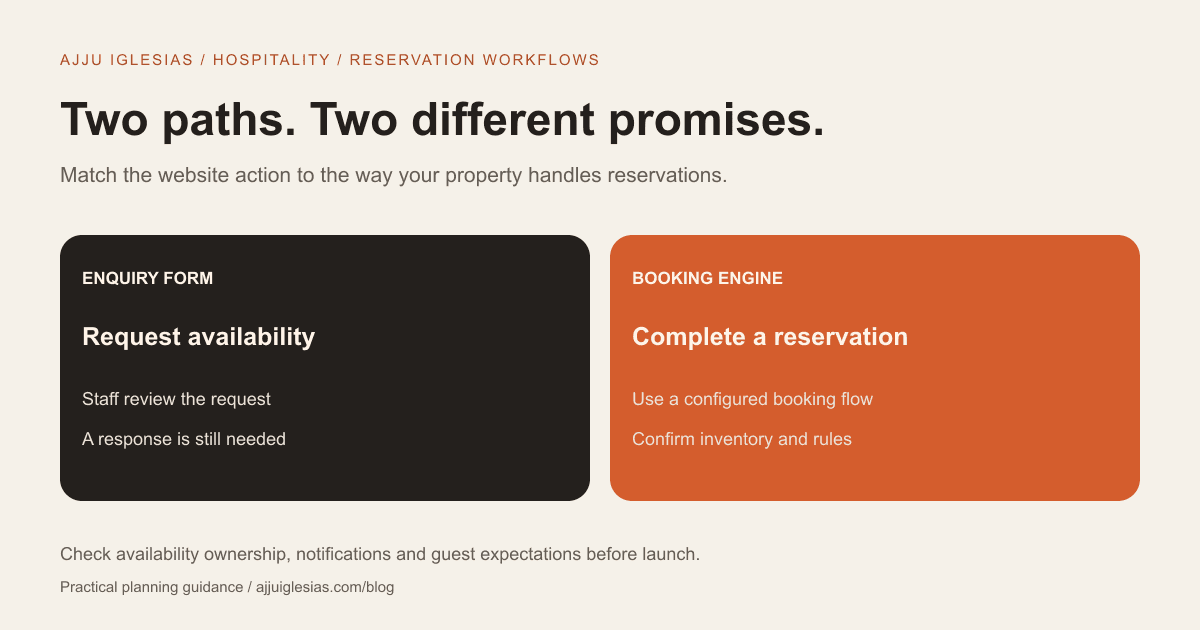
A booking engine is appropriate when guests should be able to check availability, select a room and complete a reservation without waiting for staff. An enquiry form is appropriate when a person must review the request before confirming it. The right choice for a small hotel depends on how you manage rooms, rates, payments and follow-up.
The important distinction is the promise made to the guest. “Request availability” means someone will respond. “Book now” normally implies a reservation flow. A website should make that difference clear before asking for dates or contact information.
This guide compares the two approaches, shows where a combined setup works, and includes a booking requirements worksheet you can use when briefing a developer.
What each option actually does
An enquiry form collects a request. The guest provides dates, room preferences and contact details; staff check availability and respond. Unless you have a separate confirmation process, completing the form does not reserve a room.
A booking engine manages a reservation flow. Depending on the product and configuration, it can show available room options, apply rates, collect payment details and issue a confirmation. The exact capabilities and connection to your property software need checking with the provider.
Neither option is simply a design feature. Both need an operational owner. A form needs reliable message delivery and a response process. A booking engine needs accurate information, maintained configuration and a clear way to handle exceptions.
Start with your reservation workflow
For the wider page structure and guest information, see the hotel website design guide for West Bengal. This article focuses on the reservation decision rather than repeating that full website checklist.
Before looking at website templates, write down where room availability and rates currently live. Is it a property-management system, a channel manager, a spreadsheet or a process handled by one person?
List every booking source your team accepts. Include phone calls and walk-ins as well as online channels. Then explain how a new reservation changes availability for the other sources.
The question is whether your website can use trustworthy information from that workflow. If it cannot, displaying a custom “live availability” calendar introduces another place staff must keep accurate. A polished interface does not make the underlying inventory reliable.
Write the workflow into your website brief. Give the developer the names of existing tools and ask which integration approaches they support.
When an enquiry form fits
A form can suit a property where requests need discussion: group stays, long-term bookings, events, special packages or rooms with arrangements staff must confirm individually.
It can also be a sensible first release when you do not yet have dependable online inventory. The site can show room types, amenities, location and genuine photographs, then collect the information staff need to answer an availability request.
The limitation is waiting. A guest cannot assume the room is secured after sending the form. Your confirmation message should say that the request has been received and explain the next step. Use a response-time promise only if your team can consistently support it.
Make the form focused. Dates, guest count, preferred room type and contact information may be sufficient to begin a conversation. Ask for special requirements where useful, but do not collect unnecessary documents or payment-card information in a general enquiry form.
When a booking engine fits
An engine is worth considering when guests need self-service reservations and your team can keep availability, rates and booking rules accurate.
It may be especially useful when reservation requests arrive outside staff working hours, or when the property already has software that supports an online booking connection. Suitability still depends on configuration, costs and how exceptions are handled.
Check the complete guest journey rather than the provider's feature list alone. Can a visitor choose the correct dates and occupancy, see the applicable room options, understand the total, complete the intended payment step and receive a clear confirmation?
Ask whether the engine integrates with your existing systems or requires a separate process. A website link, an embedded interface and a deeper integration are different scopes. Your developer should explain which one is being proposed.
Compare ongoing responsibilities
With an enquiry form, the main recurring responsibilities are checking message delivery, monitoring spam, assigning requests and keeping the response process active. Staff also need a reliable record of what has been offered and confirmed.
With a booking engine, responsibilities include maintaining room types, rates, policies and connected inventory, reviewing notifications and resolving failed or ambiguous transactions. Decide who manages those tasks before launch.
Both approaches need testing after changes. A new room category, altered rate rule, software update or changed notification address can affect the guest journey.
Record the responsible people and escalation route in the project scope. “The provider handles bookings” is not specific enough to explain who a guest should contact when something goes wrong.
Can you offer both?
Yes, when the actions serve different needs. Standard room reservations might use the engine while groups, events and special arrangements use a separate enquiry path.
Label the alternatives clearly. For example, “Check rooms and book” can lead to the reservation system, while “Ask about a group stay” opens a request form. Avoid two similarly labelled buttons that lead to different promises.
Keep room information consistent across the website and the reservation system. If a gallery shows one room type but the booking screen uses another name, guests have to guess whether they are choosing the same option.
An alternative contact method can also help visitors who cannot complete the standard journey. It should support the reservation flow rather than obscure which route actually confirms a stay.
Understand the real cost
Compare setup and recurring costs separately. Website design, a booking-button integration, a custom availability interface and ongoing reservation software are distinct items.
Ask for the provider subscription, any applicable transaction charges, integration work, support scope and training requirements. The exact commercial terms depend on the selected product and agreement; do not infer them from a competing hotel's website.
A simpler interface is not automatically the lower-cost operational choice. A manual request process needs staff time. A more automated process still needs configuration and monitoring. Your comparison should include both the software and the work your team continues to do.
You can ask for two scoped options: an enquiry-led first release and an engine-connected release. Compare what each lets a guest complete, not just the number of pages.
Test before accepting the setup
Use the worksheet to record expected behaviour and then run real test journeys with appropriate test settings.
- Try a valid enquiry and confirm it reaches the responsible team.
- Check that form completion does not imply a confirmed reservation.
- Test the booking journey on a phone, including dates and occupancy.
- Verify how unavailable dates and invalid selections are explained.
- Check the displayed room names, policies and payment-step wording.
- Confirm where reservation notifications and records appear.
- Ask the provider how to test payment failure or an interrupted booking safely.
- Confirm the guest's support route and your staff's escalation process.
Do not use real payment-card details in a test unless the provider explicitly supplies a suitable live-testing procedure. Use the documented sandbox or test mode where available.
An illustrative property decision
Imagine a small villa that handles private group stays with different arrival arrangements. The owner checks each request before offering the property. An enquiry-led website may accurately represent that workflow.
Now imagine an independent hotel that already maintains room inventory in a supported property system. Its standard rooms have defined rates and booking rules. Connecting a compatible engine may allow the guest to complete more of the reservation themselves.
These are planning examples, not claims about particular client systems or results. The decision comes from the reservation process, not simply the number of rooms.
To see examples of hospitality website presentation, explore Hotel Appayan and The LakeMont Villa. Their portfolio pages show delivered website work; they are not evidence that every integration discussed here was implemented.
Questions for your provider
Ask which systems are supported, where availability is updated, which payment options apply to your setup, how confirmation works and who handles integration support. Request a demonstration using a workflow resembling your property.
Also ask what happens when a guest retries a booking or loses connection. Your team should know how to find the reservation record and avoid treating an uncertain transaction as a new booking without checking it.
Provider references were checked on 14 October 2026. SiteMinder's booking-engine overview describes its reservation product and website integration options. Capabilities differ by product and configuration; verify the proposed setup directly rather than treating one vendor's features as universal.
Choose the promise you can deliver
Start with the guest action your operations can support today. If staff must confirm every request, make the enquiry path clear and dependable. If you can provide accurate self-service reservations through a suitable system, evaluate an engine-connected journey.
If you want help designing the website around that decision, send your property details and current booking tools. We can discuss the scope of website design and identify which provider questions need answering before development.


