
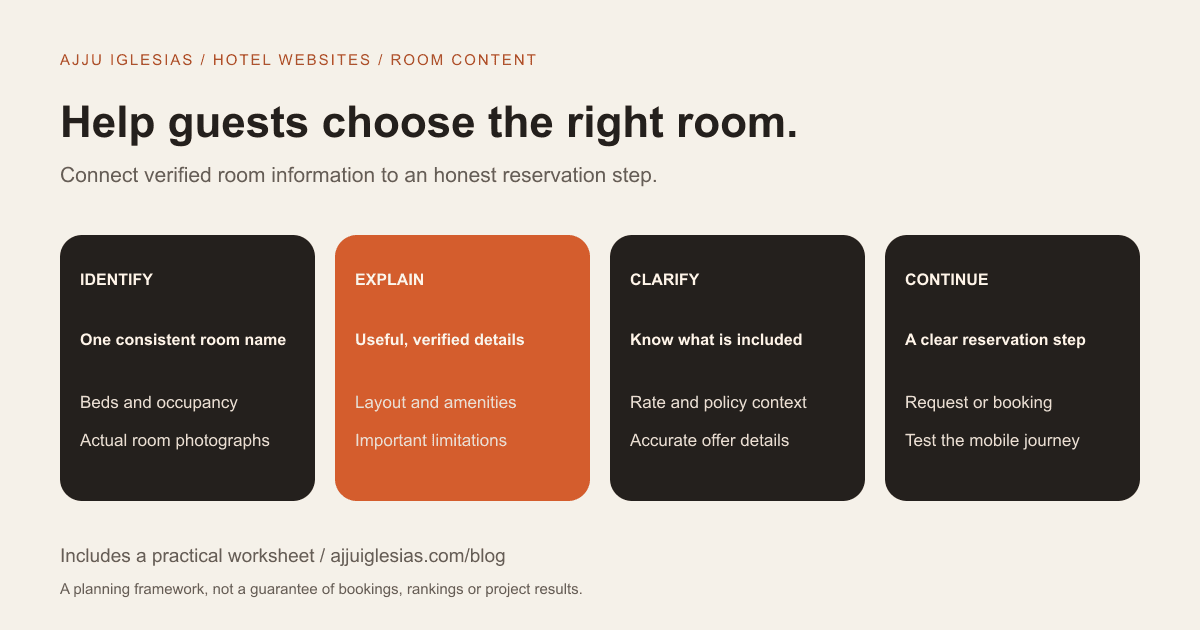
A useful hotel room page helps a guest decide whether a specific room suits their stay and understand how to request or confirm it. It should connect accurate photographs, room facts, practical policies and a clear next step. A large gallery alone cannot do that job.
For an independent hotel, villa or homestay, the page is also a shared reference for the reservation team. If staff keep answering the same questions about beds, extra guests or breakfast, those questions are candidates for clearer room information.
This hotel room page checklist covers content, layout, photography, mobile usability and booking handoff. Use the room-page planning worksheet to prepare one accurate record for each genuinely different room type.
Start with the guest's decision
Ask what a guest must know before choosing this room rather than another. The answer changes with the property. A family may need to understand the sleeping arrangement; someone travelling for work may care about a practical desk and check-in arrangements.
Collect questions from real reservation conversations. Separate facts that apply to every room from details that vary by category. This prevents a room page from repeating a generic property description while omitting the differences the guest needs.
Write the page around suitability. “A spacious premium experience” does not explain whether two adults and a child can sleep comfortably or whether the bathroom is private. Specific verified information is more useful than a list of flattering adjectives.
The aim is to reduce uncertainty, not to persuade every guest that every room is right for them. Clear limitations can help people select a better option or contact your team before making an unsuitable reservation.
Use consistent room names
Choose a room-type name and use it consistently across the website, enquiry form, reservation system and staff communication. If one system calls the room “Deluxe Double” and another calls it “Premium Category,” the connection needs to be made explicit.
A name should distinguish the option without carrying all the detail. Put the bed arrangement, occupancy and relevant features next to it. Avoid creating several web pages for room labels that describe the same actual product.
If rooms within a category have meaningful differences, explain them. A photograph of a balcony should not imply that every room in the category has one when that is not true.
Keep a simple inventory linking each website category to the room types used operationally. That record helps the person updating the site avoid introducing a mismatch later.
Show the sleeping arrangement
State the normal bed setup and which alternatives can actually be supplied. A double bed, twin beds, a sofa bed and an extra mattress are different arrangements; guests should not have to infer them from a photograph.
Explain occupancy using the property's verified rules. Where children's arrangements or extra guests require discussion, say what information the reservation team needs rather than inventing a universal age or occupancy rule.
If an additional bed is subject to availability or an extra charge, place that information near the sleeping details. Do not bury a key qualification in an unrelated footer.
A useful editorial check is to ask a staff member to choose a room for an example family using only the page. If they need information that is missing, the page is not yet complete.
Describe space and access accurately
Include the practical dimensions or layout details you can verify. If you publish an area measurement, state what it refers to and use consistent units. Do not guess a room size to make the listing look complete.
Explain features that affect suitability: floor level, stairs, lift access, bathroom arrangement or the route to the room. Give factual descriptions rather than an unsupported blanket label such as “accessible for everyone.”
If a guest has specific access requirements, provide a route to discuss them with someone who knows the property. Photographs and measurements can support that conversation, but they should accurately describe the actual room or route.
A simple layout illustration may help with an unusual arrangement, provided it is clearly labelled and matches the accommodation. A decorative plan copied from another property creates the wrong expectation.
Match photographs to the room
Build the gallery from the room category being offered. Useful images can show the whole room, the bed arrangement, the bathroom, storage and any feature central to the choice, such as a balcony or workspace.
Label representative photographs honestly when individual rooms differ. Show a view as a feature only when the guest can understand whether it is part of the category or an example of one particular room.
Prepare a shot list before commissioning photography. Ask which image answers which question. Several similar close-ups of decorative objects do not replace a clear view of the room layout.
You do not need to manufacture visual evidence. Real, well-prepared photographs of a modest room can be more useful than dramatic images that create expectations the property cannot meet.
Write amenities with context
Separate in-room features from shared property facilities. A swimming pool at the property is not a private room feature. A restaurant on site does not automatically mean breakfast is included in the selected rate.
Where a detail matters, explain it. “Workspace” can mean a desk and chair or simply a surface in a photograph. “Air conditioning” should reflect what the guest can expect in that room category.
Avoid copying an unchecked amenities list across every room page. Give the reservation or operations team an opportunity to verify each item before publishing.
Use plain text as well as icons. An unfamiliar symbol without a label makes the guest guess. A concise, grouped list can remain visually clean while being easier to understand.
Explain rates and inclusions
A room category and a rate offer are related but different. The same room might be offered with different meal inclusions, cancellation conditions or stay restrictions. The page should not imply that one rate's benefit applies to every booking.
If prices are supplied through a booking engine, explain that the guest will choose dates and see the applicable offer there. If the page uses a starting price, define its basis, relevant conditions and who keeps it current.
Make mandatory charges and important inclusions clear at the appropriate stage of the actual reservation flow. Your team should verify the wording against the property's real policies and the provider setup. This guide does not supply tax or consumer-law advice.
When staff must prepare a tailored offer, use an enquiry-led explanation. A precise request process is better than a stale price presented as a guaranteed live rate.
Clarify the reservation step
Choose the main action based on what the system can deliver. “Request this room” should lead to a request, while a reservation button should lead into the configured booking journey.
Pass the selected room type through to the form or booking handoff where the implementation supports it. Asking the guest to choose the room again without context creates an unnecessary opportunity for confusion.
Say whether submitting the form reserves anything. The confirmation message should match the real process, including any next step required before a booking becomes confirmed.
If you are still deciding which flow to use, read booking engine versus enquiry form. That guide covers the system decision; the room page should support the chosen journey.
Put relevant policies nearby
Place the policies that affect the room decision close enough to be found before the guest commits. Depending on the property, this may include arrival arrangements, extra-guest requirements, smoking restrictions or rules about particular facilities.
Use verified wording from the person responsible for reservations. The website, booking screen and confirmation should not provide conflicting information.
Do not try to turn the room page into a long legal document. Summarise the decision-relevant points and link to complete policies where appropriate. If a condition varies by selected rate, make that distinction clear.
When a policy changes, identify which pages and tools need updating. A content owner should know that changing a general policy page may not automatically change an external booking system.
Make the mobile page usable
Test the page as a guest on a phone. Can you identify the room type, read the key facts, inspect photographs and reach the next action without fighting overlays or tiny controls?
Keep the decision information close to the gallery. Guests should not need to scroll through a long property introduction before learning the bed setup or occupancy.
Give images appropriate text alternatives according to their purpose. The W3C image tutorial explains the distinction between informative and decorative images. Descriptions should convey useful content rather than repeat a search keyword.
Test the actual form or booking handoff as part of the page, not as an unrelated system. A beautiful room page cannot complete its job if the next screen loses the selected category or is difficult to use.
Build distinct, useful room pages
Create a separate room page when the category has enough meaningful information to help the guest make a distinct choice. Do not generate many pages by changing only the room name and a sentence.
Describe the actual room, answer its relevant questions and link it from the accommodation overview. A logical structure also helps the team maintain the content.
A descriptive title can include the category and property name. Headings should organise the information naturally. There is no need to repeat “hotel room” in every heading or add a list of unrelated locations.
Keep availability and pricing claims aligned with their source. Search metadata should not advertise a guarantee or inclusion the booking flow does not honour.
A worked page outline
Imagine an illustrative “Garden Twin” category at a small independent hotel. The main image shows the twin-bed setup and a clear view of the room. The heading uses the same category name as the reservation system.
Immediately below it, the page states the verified occupancy, normal beds and whether any additional arrangement must be requested. A short description explains who the layout is likely to suit, followed by factual amenities and bathroom information.
The gallery includes the actual room category and labels any representative variations. The rate section explains where to see date-specific offers. The primary button carries the room category into an enquiry or booking path, with wording that matches what happens next.
A short policy summary and a contact option answer unresolved practical questions. This is a planning example, not a claim about a named client's room inventory or booking results.
Review before publication
Give the draft to both someone who manages the rooms and someone who handles reservations. Ask them to verify facts independently rather than simply approve the visual design.
- Does the name match the system used by staff?
- Do the photographs represent the offered category?
- Are beds, occupancy and bathroom details accurate?
- Are inclusions distinguished from shared facilities?
- Does any starting price have a clear basis?
- Does the next step correctly explain request versus confirmation?
- Are important policies consistent with the booking flow?
- Can a guest complete the journey on a phone?
Record each correction and the person responsible. A room-page worksheet is useful only when someone owns keeping the facts current.
Keep room content maintainable
Assign updates to the people who know when something changes. New photographs, a renovated bathroom, an altered bed configuration or a renamed booking category should trigger a review of the relevant website content.
Test key journeys after changes to the booking provider or enquiry process. A routine check should confirm that requests reach the right team and that the selected room remains identifiable.
For ongoing care, the WordPress maintenance checklist explains how to define form checks, content responsibilities and support scope. Apply the same ownership principles regardless of the platform.
Plan your property's room pages
Start with one verified room category and build a useful page before multiplying the layout across the inventory. The information gaps you discover will improve the brief for the remaining pages.
For examples of hospitality website work, see Hotel Appayan and The LakeMont Villa. Those projects demonstrate website presentation, not every feature discussed in this checklist.
To discuss your own property, send the room categories and current reservation setup. We can scope the website design work around the guest decisions your pages need to support.
Sources and editorial notes
The checklist and worked example are editorial planning guidance. The accessibility reference was checked on 15 October 2026. Room facts, rates and policies must come from the property; no booking increase or search-ranking result is claimed.


