

A CMS for non-technical users should be judged by the work your team needs to do. Can the intended editor correct a service description, replace a photograph and confirm the published result without a developer completing the difficult steps?
A supplier demonstration can show what the system supports. A practical CMS usability test shows how the proposed setup works for the people who will maintain your content. Both are useful, but they provide different evidence.
This guide explains how to run a task-based evaluation before accepting a website or replacing its editing system. It includes three diagrams and a downloadable observation worksheet. It does not report a completed user study or rank platforms by an invented ease-of-use score.
Choose tasks from ordinary work
List updates the business expects to make repeatedly. Include the content involved, the responsible person and the result that should appear on the website. A team publishing articles needs different tasks from a hotel changing room information.
Choose a small representative set. For example, correct an existing paragraph, create a new article from approved material, replace a page image, update a link and correct a previously published mistake. Add an approval task if someone else reviews content before publication.
Use realistic material. A long service title or an image with an off-centre subject can reveal problems that a short placeholder and perfectly framed stock image hide. The goal is to assess normal work, not construct a deliberately impossible test.
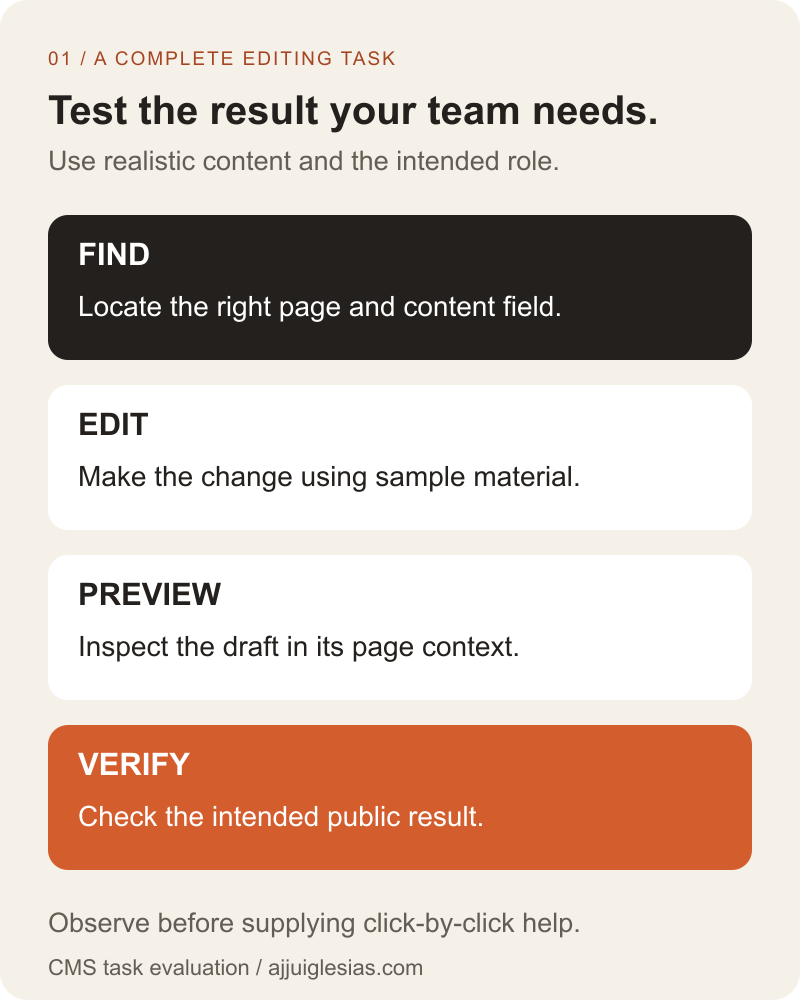
The task map below follows a complete update through finding, editing, previewing and verification. Adapt it to the workflow the business actually needs rather than assuming every CMS uses those exact screens.
Test the proposed implementation
Evaluate the theme, content model, extensions and frontend arrangement the project will deliver. A familiar CMS name can describe substantially different editing experiences across websites.
Ask where each content type lives. Service information, articles, shared contact details and navigation may be edited in different places. Find out which changes the business can make independently and which require development.
Record the configuration used for the test. If it is a simplified demo, identify what differs from the planned website and what remains untested. A successful task on another site's setup does not establish that the same task works here.
For architecture decisions, read WordPress versus Next.js for a business website or the headless CMS comparison. This guide evaluates the resulting editing workflow rather than choosing a platform in advance.
Use the intended editor's role
Have the person use their planned account or a representative test account with the same permissions. Do not substitute an unrestricted developer login merely because it makes the demonstration easier.
Write down who can draft, review, publish, alter shared layouts and manage accounts. These responsibilities may belong to different people. Test the boundaries as well as the permitted actions so the team understands when to ask for help.
The official WordPress roles documentation describes permissions through roles and capabilities. Customisation can affect the actual setup, so the practical check is still whether the intended role can complete the agreed task on this website.
If a task is blocked by permissions, record the missing capability and intended owner. Do not assume the only solution is to give every editor administrator access. The configuration should support the responsibility being assigned.
Prepare a safe test environment
Agree which environment and content the session will use. A staging website or sample content can let the editor practise without changing a live offer. Make clear whether the preview or test page is publicly reachable.
Identify any connected services that could react to publication. A test article should not unexpectedly send a customer notification or appear in a live campaign. Use the project's agreed test arrangements for those connections.
Prepare sample copy, images and expected outcomes before the session. Record where the editor starts and which training materials are available. This makes it possible to distinguish missing content from a problem in the editing interface.
Keep the test recoverable. Note how sample changes will be removed or restored and who is responsible. The session should leave behind observations, not unfinished test content mixed into the real website.
Observe before giving instructions
Describe the desired result in business language. “Replace the service photograph with the approved image” is a task. “Click Media, select the third item and press Update” is a walkthrough that removes much of what you are trying to observe.
Ask the editor to explain what they expect a control to do when that helps clarify a hesitation. Avoid treating every pause as failure. Reading unfamiliar instructions carefully may be appropriate, especially for publication or shared changes.
Record where help is needed and what kind of help resolves it. Finding the correct content location, interpreting a field name and obtaining a missing permission are different problems.
After observing, provide the relevant guidance and let the editor retry. Keep the original and assisted outcomes separate. A task completed with instructions provides useful evidence about training needs, but it should not be reported as independent completion.
Check field names and guidance
Review whether labels describe the content the business recognises. An internal field called “secondary module payload” might mean little to an editor who needs to change the service summary.
Helper text should explain constraints that matter: what an image represents, where a shared value appears, whether a field is optional and what happens if it is left blank. Avoid instructions that require the editor to remember undocumented layout rules.
Test missing or invalid values with the agreed sample material. Can the editor identify what needs correction and continue without losing unrelated work? The W3C form-notification guidance provides useful principles for clear feedback, although a CMS needs its own implementation checks.
Also consider the devices and access methods staff use. An editing interface should be evaluated with the actual working conditions, including keyboard interaction and the equipment available to the team.
Verify preview against the real page
Ask the editor to show where the update will appear before publishing. Check that the preview contains the intended draft, relevant surrounding content and a useful representation of the public layout.
Inspect a representative mobile view as well as desktop. An image may be correctly uploaded but poorly cropped in a card. A long heading may fit the editing field while creating a layout problem on the website.
For a connected CMS and frontend, establish how the preview receives draft content and what happens if that connection fails. The editor needs to distinguish an unavailable preview from missing saved work.
Keep a record of preview limitations. If a demonstration excludes navigation, related pages or a shared component, schedule a separate check rather than assuming those effects were covered.
Distinguish saved from published
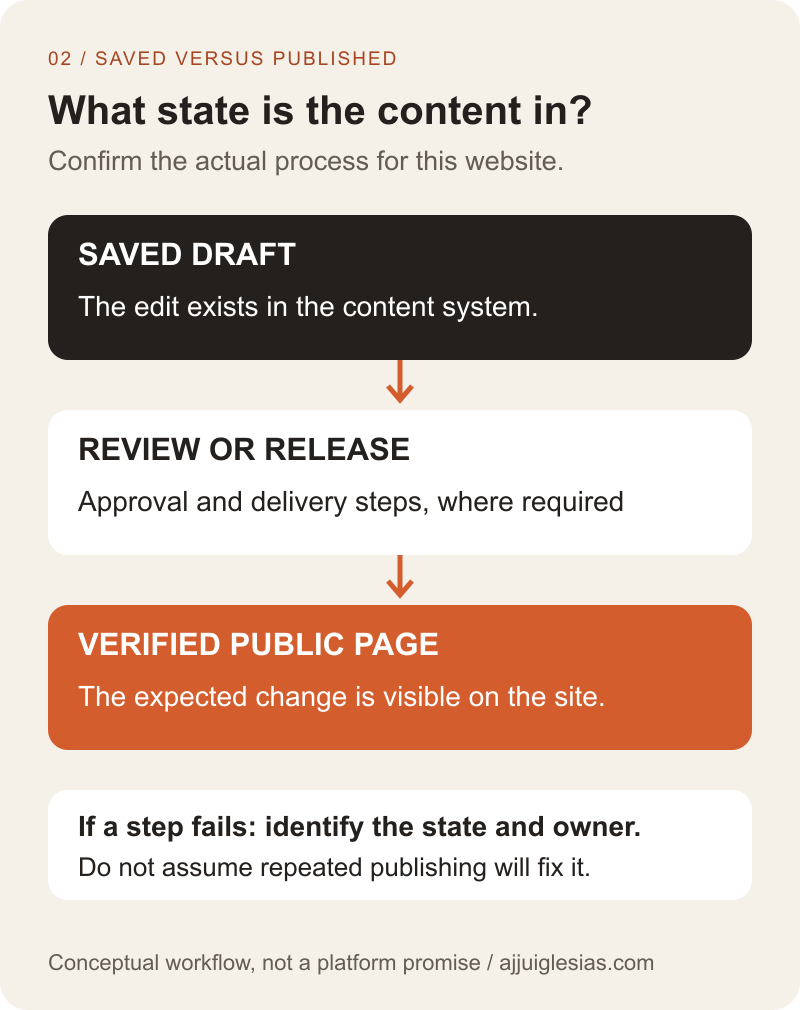
Ask the editor what they believe has happened after saving. Then check the system's actual state. Content might be a draft, waiting for approval, published in the CMS or waiting for the website to receive the change.
Document the steps needed to reach the public result. Some websites update directly; others include deployment or cache behaviour. Explain the expected process without making staff diagnose technical infrastructure whenever they change a sentence.
The publication diagram separates editing state from the visible website. It is a conceptual checklist, not a promise that every project requires all the steps shown. Verify the specific arrangement being delivered.
If a publication fails, check whether the editor receives a useful message and knows where to report it. Repeatedly pressing publish without understanding the state can complicate the investigation.
Practise correcting a mistake
Include a planned correction in the test. The editor might restore an earlier paragraph, fix a wrong link or replace an unsuitable image. Agree the expected result before starting.
If the system offers history or revisions, inspect what it includes and who can use it. WordPress documents content revisions, but that does not establish recovery for every field, file or third-party component in a customised website.
Do not confuse an editing undo, a content revision and a full-site backup. They have different scopes. Ask which recovery action fits the mistake and when the editor must involve support.
Check the website after the correction as well as the CMS. The task is complete when the expected result is verified, including related placements affected by a shared value.
Record outcomes without false precision
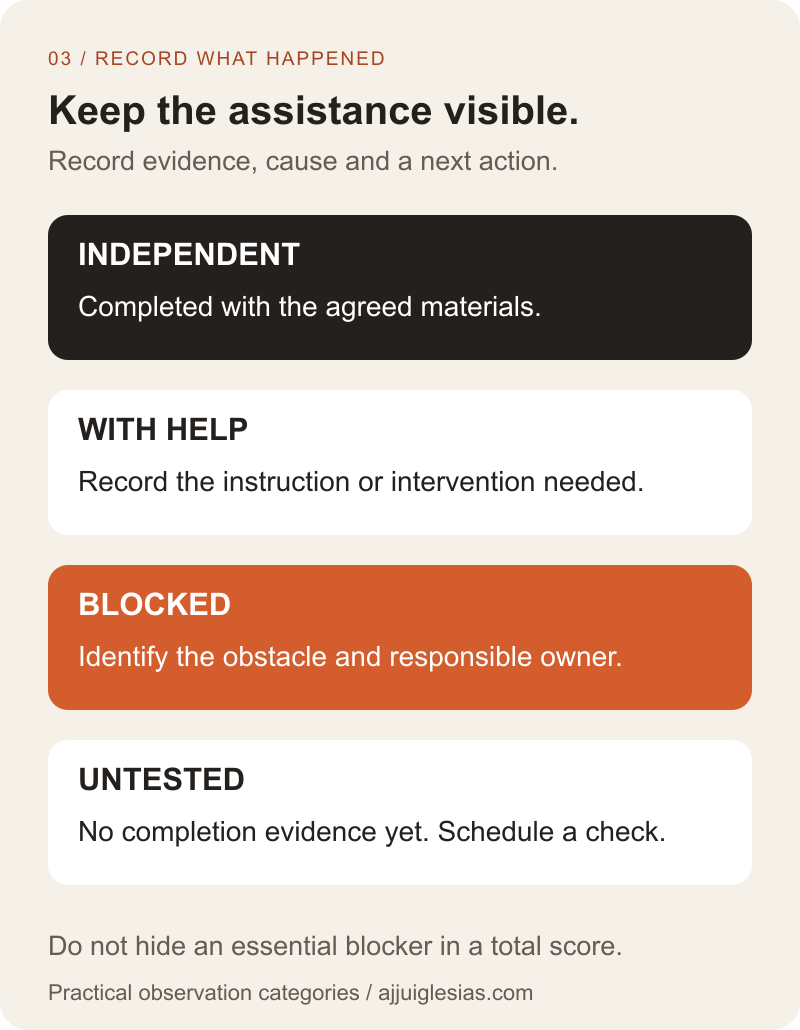
Use simple categories with a written definition: completed independently, completed with help or blocked. Add the observed cause and its business effect. A task not attempted should remain explicitly untested.
Record time if it helps, but keep the conditions visible. A first session, a familiar repeat task and a session interrupted by connection problems are not directly equivalent. Do not manufacture an objective platform ranking from a handful of observations.
The outcome diagram below keeps task evidence and next actions together. A permission issue needs a configuration decision; an unclear label may need a content-model change; a confusing process may need better instructions or a simpler workflow.
Give launch-critical tasks explicit decisions. Several easy tasks should not outweigh one required publication or correction task that the team cannot perform.
Improve the workflow and test again
Consider a hypothetical business whose editor can update a paragraph but cannot tell which of two similarly named fields changes the service card. The observation suggests a label or content-model issue, not proof that the whole platform must be replaced.
Clarify the fields, add useful guidance and repeat the task with the intended role. Check whether the change helps independent completion and whether it affects other content. This is an example of a review method, not a reported client study.
Use the CMS test worksheet to record tasks, assistance and follow-up. Include the remaining instructions and responsibilities in the website handover.
For help planning an editing workflow, share the content your team updates and the tasks that currently require assistance. Those examples provide a practical basis for deciding what the CMS should let people do and what needs to change.


